
Shopify Website Development for Growing Ecommerce Brands Introduction Many ecommerce brands struggle to get sales because their website is slow, confusing, poorly designed, or not optimized for conversions. Today, customers expect a smooth online shopping experience from the first product view to final checkout. This is where shopify website development becomes important. A professional Shopify store can help businesses showcase products clearly, accept online payments, improve customer trust, and generate better sales opportunities. Drawlead helps startups, ecommerce brands, and Chennai businesses build Shopify websites that are simple, mobile responsive, SEO-friendly, and focused on lead generation and sales growth. What is Shopify Website Development? Shopify website development is the process of creating, designing, customizing, and optimizing an ecommerce store using the Shopify platform. It includes store setup, theme customization, product page design, collection page setup, payment gateway integration, mobile optimization, SEO setup, and checkout improvement. A good Shopify website is not just about looking attractive. It should help customers find products easily, understand product details, add items to cart, complete payment, and contact the business when needed. Why is Shopify Website Development Important for Businesses? For ecommerce brands, the website is the main sales platform. If the store is not user-friendly, customers may leave without buying. A professionally developed Shopify website can improve the complete shopping journey. Shopify website development is important because it helps businesses: Build a trusted online store Display products professionally Improve mobile shopping experience Make checkout simple Support online payments Improve product visibility on search engines Increase enquiries and sales opportunities For growing ecommerce brands, a strong Shopify website can support both branding and performance. Key Benefits of Shopify Website Development A professional Shopify ecommerce website development project can give many business benefits. 1. Easy Store Management Shopify makes it easier to manage products, collections, images, prices, orders, discounts, and customer details. 2. Mobile Responsive Store Most customers shop from mobile phones. A mobile responsive Shopify store helps users browse and buy easily from any device. 3. Better Product Presentation With proper Shopify product page optimization, businesses can display images, features, prices, offers, reviews, and product details clearly. 4. Secure Payment Integration Shopify payment gateway integration helps customers make payments safely through different payment options. 5. SEO-Friendly Structure A well-built Shopify store can include optimized URLs, meta titles, product descriptions, image alt text, collection pages, and internal links. Important Features of a Shopify Ecommerce Store A good Shopify website design should include features that improve both user experience and sales. Important features include: Clean homepage design Product category structure Shopify collection page optimization Product filter options Fast loading pages Secure checkout WhatsApp button Call button Enquiry form Popup lead form Thank you page Google Analytics setup Google Search Console setup Meta Pixel setup Conversion tracking These features help ecommerce brands understand user behavior, track leads, and improve marketing performance. Common Mistakes to Avoid in Shopify Web Development Many businesses launch Shopify stores without proper planning. This can affect traffic, leads, and sales. Avoid these mistakes: Poor product images Slow loading pages Weak product descriptions No SEO setup Confusing navigation No mobile optimization Complicated checkout process No conversion tracking No WhatsApp or call option Poor collection page structure Working with a professional Shopify website development agency can help businesses avoid these problems. How Shopify Website Development Helps Generate Leads A Shopify store should not only sell products. It should also generate enquiries, phone calls, WhatsApp leads, and contact form submissions. A conversion-focused Shopify website can support lead generation through: WhatsApp button for quick customer chats Call button for direct enquiries Product enquiry forms Popup lead forms for offers Landing page design for campaigns Thank you pages for tracking Meta Pixel setup for retargeting Google Analytics and conversion tracking These features help businesses understand which products, pages, and campaigns bring better results. Local SEO for Shopify Businesses in Chennai For Chennai-based ecommerce brands, local SEO can help attract nearby customers and business enquiries. A Shopify store can be optimized with Chennai-focused terms naturally. Drawlead supports services such as Shopify website development in Chennai, ecommerce website development in Chennai, SEO-friendly website development in Chennai, and digital marketing services for local businesses. As a website development company in Chennai, Drawlead also helps with WordPress website development, ecommerce website development, and lead generation website development. The goal is not to overuse local keywords, but to place them naturally where they help users and search engines understand the business location and service focus. Conclusion Shopify website development is important for ecommerce brands that want a professional online store, better customer trust, and more sales opportunities. A well-developed Shopify website can improve product presentation, mobile shopping experience, checkout flow, SEO visibility, and lead generation. For growing ecommerce businesses, the right Shopify store should not only look good but also help customers take action through WhatsApp enquiries, call buttons, product enquiry forms, secure payments, and conversion tracking. Drawlead helps businesses build SEO-friendly, mobile responsive, and conversion-focused Shopify websites that support online growth. If you are planning to create a new Shopify store or improve your existing ecommerce website, contact Drawlead today for a Shopify website development consultation. Recent Posts Why Every Business Needs a Professional Website in 2026 SEO Do’s and Don’ts: Best Practices for Small Businesses Search … How AI Improves Shopify Store Design and Sales Conversion How AI Improves Shopify Store Design and Sales Conversion Introduction … Book a Consultation Ready to take your business to the next level ? Book a Free Consultation Frequently Asked Questions 1. What is Shopify website development? Shopify website development is the process of creating and optimizing an ecommerce store using Shopify. 2. Why is Shopify good for ecommerce brands? Shopify is easy to manage, mobile-friendly, secure, and suitable for selling products online. 3. Can Shopify help generate more sales? Yes, a well-developed Shopify store can improve product visibility, checkout experience, and conversions. 4. Do I need SEO for my Shopify website? Yes, Shopify SEO helps improve search visibility, product traffic, and organic sales opportunities. 5.
How to Maximize Your Sales on Shopify Marketplace
How to Maximize Your Sales on Shopify Marketplace Introduction Many Shopify store owners get traffic but struggle to turn visitors into paying customers. The problem is often weak product listings, poor SEO, slow pages, unclear design, or a difficult checkout. If you want to increase Shopify sales, your store must be built for visibility, trust, and conversions. Drawlead helps ecommerce brands improve Shopify store design, SEO, product pages, and checkout flow for better business growth. What Does It Mean to Increase Shopify Sales? Increasing Shopify sales means improving your online store so more visitors discover products, trust your brand, add items to cart, and complete purchases. It is not only about getting more traffic. It is also about improving the full customer journey. A strong Shopify ecommerce store should help users: Find products easily Understand product value Trust the brand Add products to cart Complete checkout smoothly Return for future purchases When these areas work together, your store has a better chance of generating consistent sales. Why Is Shopify Sales Optimization Important? Shopify sales optimization is important because ecommerce competition is high. Customers compare product quality, price, design, trust, delivery options, and checkout experience before buying. A store with good products can still lose sales if the website experience is poor. Shopify store optimization helps improve: Product visibility User experience Shopify conversion rate Organic traffic Paid ad performance Customer trust Repeat purchases Revenue growth A better store experience can help you get more value from the same traffic. Key Benefits of Optimizing a Shopify Store A well-optimized Shopify store can support long-term ecommerce growth. Key benefits include: Better product discovery More organic traffic Higher add-to-cart rate Improved checkout completion Better mobile shopping experience Stronger customer trust Improved return on ad spend Better customer retention More sales opportunities Shopify conversion optimization is useful because it focuses on improving results from existing visitors. Important Features That Help Increase Shopify Sales A sales-focused Shopify store should include: Clean homepage design Clear product categories SEO-friendly collection pages Strong product listings High-quality product images Detailed product descriptions Customer reviews Trust badges Clear shipping and return details Easy cart experience Simple checkout Multiple payment options Fast loading pages Mobile-friendly layout Google Analytics and Meta Pixel tracking Each feature helps reduce doubt and improve buying confidence. Step-by-Step Shopify Sales Strategy Step 1: Improve Shopify Store Design Shopify store design affects trust and buying decisions. If your store looks outdated or confusing, customers may leave. A good Shopify store design should have: Clear navigation Easy product search Simple menu structure Clean product sections Strong call-to-action buttons Mobile responsive layout Fast loading pages Design should guide users toward products and checkout. Step 2: Optimize Product Listings Product listing Shopify optimization is important because customers judge products quickly. A good Shopify products listing should include: Clear product title High-quality product image Price Discount or offer if available Short product benefit Rating or review if available Availability status Product listings should make users want to click and explore more. Step 3: Improve Shopify Product Pages Shopify product page optimization is one of the most important parts of sales growth. A strong product page should include: Product title with clear keywords Multiple product images Product video if useful Price and offer details Product description Features and benefits Size, color, or variant options Delivery details Return policy Reviews FAQs Related products Strong add-to-cart button The product page should answer customer doubts before checkout. Step 4: Use Shopify SEO Shopify SEO helps your products and collections appear in search results. Organic traffic can reduce dependency on paid ads over time. Basic Shopify SEO includes: Optimized product titles Collection page SEO Meta titles Meta descriptions Image alt text SEO-friendly URLs Internal linking Blog content Sitemap submission Google Search Console setup Working with a Shopify SEO expert or Shopify SEO services team can help improve technical and content optimization. Step 5: Optimize Collection Pages Collection pages help customers browse product categories. They are also useful for SEO. A good collection page should include: Clear category name Short category description Product filters Sorting options Related collections Internal links Product count Mobile-friendly layout Collection pages can rank for category keywords and support Shopify store optimization. Step 6: Improve Checkout Flow Shopify checkout optimization helps reduce cart abandonment. If checkout feels confusing, customers may leave without buying. Improve checkout by: Keeping steps simple Showing shipping details clearly Offering trusted payment methods Avoiding surprise charges Making discount codes easy to apply Keeping forms short Testing mobile checkout A smooth checkout experience can improve Shopify conversion rate. Step 7: Use Abandoned Cart Recovery Many customers add products to cart but do not complete payment. Abandoned cart recovery helps bring them back. You can use: Abandoned cart emails Reminder messages Discount offers Product availability reminders Retargeting ads This is a practical way to recover lost sales. Step 8: Track and Improve Performance You cannot improve sales properly without tracking. Track: Product views Add-to-cart rate Checkout started Purchase completed Cart abandonment Traffic source Conversion rate Best-selling products Low-performing products Tools like Google Analytics, Shopify analytics, Google Search Console, and Meta Pixel help you understand what is working. Shopify SEO vs Shopify Conversion Optimization Area Shopify SEO Shopify Conversion Optimization Main Goal Bring traffic Convert traffic into sales Focus Rankings and visibility User actions and purchases Pages Products, collections, blogs Product pages, cart, checkout Tools Search Console, keyword research Analytics, heatmaps, testing Result More visitors More buyers Both are important. SEO brings users to your store, and conversion optimization helps turn them into customers. Common Mistakes That Reduce Shopify Sales Avoid these common mistakes: Weak product titles Low-quality images Poor product descriptions Slow loading store No SEO optimization Confusing navigation Weak product filters No customer reviews Hidden shipping details Complicated checkout No abandoned cart recovery No conversion tracking Poor mobile experience Fixing these issues can improve store performance and sales opportunities. Real-World Examples Fashion Store A fashion Shopify store can increase sales with size filters, product videos, clear size charts, customer reviews, and
Modern E-commerce Web Design Services for Business Growth
Modern E-commerce Web Design Services for Business Growth Introduction Many businesses want to sell online, but a basic website is not enough to grow ecommerce sales. Customers expect fast loading pages, clear product details, secure payments, smooth checkout, and mobile-friendly design. Ecommerce website development helps businesses build an online store that supports trust, SEO, and sales. Drawlead helps brands create modern ecommerce websites that are designed for better user experience, enquiries, and business growth. What Is Ecommerce Website Development? Ecommerce website development is the process of planning, designing, building, and launching an online store where customers can browse products and make purchases. It includes more than just website design. A complete ecommerce website needs product management, cart, checkout, payment gateway, shipping settings, customer communication, SEO setup, tracking, and performance optimization. A good ecommerce website should help customers move smoothly from product discovery to purchase. Why Modern Ecommerce Website Design Matters Modern ecommerce website design is important because online shoppers make quick decisions. If your website looks outdated, loads slowly, or feels difficult to use, users may leave without buying. A modern ecommerce website should be: Easy to browse Mobile responsive Fast loading SEO-friendly Secure for payments Clear about product details Simple to checkout Trustworthy Designed for conversions Good design helps customers trust your brand and take action faster. Key Benefits of Ecommerce Website Development A professional ecommerce website can support long-term business growth. Key benefits include: Better online sales opportunities Stronger brand trust Improved product visibility Smooth customer shopping experience Better mobile shopping SEO-friendly product and category pages Secure payment processing Easier product management Better customer tracking Higher conversion opportunities For growing businesses, ecommerce website design and development is an investment in digital sales. Important Features of a Modern Ecommerce Website A strong ecommerce business website should include the right features for users and business owners. Important features include: Clean homepage design Product category pages Product detail pages Search and filter options Shopping cart Secure checkout Payment gateway integration Shipping and delivery setup Customer account option Wishlist or save product option Product reviews Discount coupon support Mobile responsive design SEO-friendly URLs Google Analytics setup Meta Pixel setup Order management Contact and support options These features make the website easier to use and better for sales. Ecommerce Website UI UX Design Ecommerce website UI UX design focuses on how the website looks and how users interact with it. UI means the visual design, such as colors, layout, buttons, product images, and spacing. UX means the user experience, such as how easily customers can find products, compare options, add to cart, and complete checkout. Good ecommerce UI UX design should make shopping simple. It should help users: Find products quickly Understand product benefits View price and offers clearly Select size, color, or quantity easily Add products to cart Checkout without confusion Contact support when needed A confusing ecommerce website can reduce sales even when products are good. Ecommerce Website Design and Development Process Step 1: Understand Business Goals Before building an ecommerce website, define the business goal clearly. Ask: What products will be sold? Who is the target customer? How many products will be uploaded? Is the goal sales, enquiries, or both? Which platform is suitable? What payment and shipping methods are needed? Clear planning helps avoid costly mistakes later. Step 2: Choose the Right Platform Popular ecommerce platforms include Shopify, WooCommerce, and custom ecommerce development. Shopify is useful for brands that want a managed ecommerce platform. WooCommerce is useful for WordPress-based ecommerce websites. Custom ecommerce development is useful when a business needs unique workflows, dashboards, or integrations. The right platform depends on products, budget, business model, and growth plans. Step 3: Plan Website Structure A good ecommerce website structure improves user experience and SEO. Basic structure can include: Home page Shop page Product category pages Product detail pages Cart page Checkout page About page Contact page FAQ page Shipping policy Return policy Blog pages A clear structure helps customers and search engines understand the website. Step 4: Design Product and Category Pages Product and category pages are important for ecommerce growth. Product pages should include: Product title High-quality images Price Offers Description Features Specifications Size or variant options Delivery details Return policy Reviews Related products Add-to-cart button Category pages should include filters, sorting, product grids, and short SEO-friendly content. Step 5: Build Cart and Checkout Flow A smooth checkout process helps reduce cart abandonment. The checkout flow should be: Simple Fast Secure Mobile-friendly Clear about shipping Clear about payment Easy to complete Customers should not feel confused during payment or order confirmation. Step 6: Add SEO and Tracking Ecommerce SEO helps products and categories appear in search results. Basic SEO setup includes: SEO-friendly URLs Meta titles Meta descriptions Product image alt text Heading structure Internal linking Sitemap Schema markup Google Search Console Google Analytics Conversion tracking Tracking helps businesses understand sales, traffic, product views, cart actions, and checkout performance. Step 7: Test Before Launch Before launching, test the full ecommerce journey. Check: Product pages Add to cart Coupon codes Payment gateway Shipping rates Mobile layout Contact forms Checkout Order confirmation Website speed Testing helps avoid customer complaints and lost sales. Ecommerce Website Development vs Normal Website Development Factor Normal Business Website Ecommerce Website Main Goal Information and enquiries Online sales and enquiries Product Pages Not required Required Cart and Checkout Not required Required Payment Gateway Usually not needed Essential Shipping Setup Not needed Important SEO Focus Service pages Product and category pages Tracking Forms and calls Sales, cart, checkout, products Complexity Lower Higher An ecommerce website needs more planning because it directly handles sales and customer transactions. Best Practices for Ecommerce Website Growth To get better results from ecommerce web design services, follow these best practices: Keep navigation simple. Use high-quality product images. Write clear product descriptions. Make the website mobile-friendly. Improve page speed. Add secure payment options. Keep checkout simple. Add trust signals and reviews. Use SEO-friendly category pages. Track conversions properly. Add WhatsApp or support options. Update products
Shopify Themes: How to Choose the Right One for Growth
Shopify Themes: How to Choose the Right One for Growth Introduction Choosing the wrong Shopify theme can affect your store speed, mobile experience, SEO, and sales. Many ecommerce brands select a theme only because it looks attractive, but design alone is not enough. Shopify themes should support product browsing, trust, conversions, and business growth. Drawlead helps e-commerce brands choose, customize, and develop Shopify stores that are user-friendly, SEO-ready, and sales-focused. What Are Shopify Themes? Shopify themes are pre-designed website layouts used to build Shopify online stores. A theme controls how your homepage, product pages, collection pages, cart, menu, banners, and store layout appear to customers. A Shopify theme can include: Homepage sections Product page layout Collection page design Cart page design Navigation menu Mobile layout Product image gallery Search and filter options Promotional banners Footer structure Blog layout A good theme should make shopping easy and help customers move from browsing to purchase. Why Are Shopify Themes Important for Ecommerce Growth? Your Shopify theme is more than a design choice. It affects how customers experience your store. A strong Shopify theme can help improve: User experience Mobile shopping Product discovery Page speed SEO structure Brand trust Add-to-cart actions Checkout flow Ecommerce sales If your theme is slow, confusing, or not mobile-friendly, customers may leave before buying. That is why choosing the right theme matters for long-term growth. Key Benefits of Choosing the Right Shopify Theme The right Shopify theme gives your online store a strong foundation. Key benefits include: Better first impression Faster page loading Smooth mobile experience Better product presentation Clear navigation Higher customer trust Better SEO support Easier store management More conversion opportunities A conversion focused Shopify theme helps customers find products, trust your brand, and complete purchases with less confusion. Free Shopify Themes vs Premium Shopify Themes Many new store owners search for free Shopify themes or best free Shopify themes. Free themes can be useful for small stores or new ecommerce brands with a limited budget. Premium themes usually offer more design options, advanced sections, better product page layouts, and more customization flexibility. Factor Free Shopify Themes Premium Shopify Themes Cost No theme purchase cost Paid theme cost Best For New or small stores Growing ecommerce brands Design Options Basic to moderate More advanced layouts Customization Limited More flexible Features Basic store features More ecommerce-focused features Growth Support Good for starting Better for scaling Free themes are good for starting, but growing brands may need a premium or custom theme for better design and conversion control. Important Features to Look for in Shopify Themes Before choosing from the Shopify theme store, check whether the theme supports your business goals. Important features include: Mobile responsive layout Fast loading performance SEO-friendly structure Clean product page design Strong collection page layout Easy navigation Product filtering High-quality image support Customer review support Trust badge sections Promotional banner sections Cart drawer or cart page flexibility Blog support Easy customization App compatibility A theme should support both design and sales performance. How to Choose the Best Shopify Themes for Your Store 1. Choose Based on Your Product Category Different ecommerce stores need different layouts. For example: A fashion store needs strong image galleries, size charts, filters, and collection layouts. A jewellery store needs close-up images, trust sections, reviews, and elegant product pages. A beauty store needs ingredient sections, FAQs, reviews, and product bundles. An electronics store needs specifications, comparison sections, warranty details, and trust signals. Do not choose a theme only because it looks good. Choose one that matches your product type and customer journey. 2. Check Mobile Responsiveness A mobile friendly Shopify theme is essential because many shoppers browse and buy from smartphones. Check: Mobile menu Product image display Add-to-cart button Cart page Checkout flow Font readability Button size Page speed on mobile If the mobile experience is weak, the theme may reduce sales. 3. Choose a Fast Loading Shopify Theme A fast loading Shopify theme improves user experience and supports better ecommerce performance. Avoid themes that are overloaded with too many animations, heavy sliders, or unnecessary scripts. A fast theme should have: Clean code Optimized sections Lightweight design Fast product image loading Smooth mobile performance Limited unnecessary effects Speed is important for SEO, paid ads, and conversions. 4. Check SEO-Friendly Structure An SEO friendly Shopify theme should support proper headings, clean code, indexable content, image alt text, structured layout, and fast performance. SEO-friendly themes help improve: Collection page visibility Product page structure Blog readability Internal linking Mobile usability Core Web Vitals A theme alone will not guarantee rankings, but it can support strong Shopify SEO. 5. Review Product Page Design Product pages are where buying decisions happen. A good Shopify ecommerce theme should make product details easy to understand. A strong product page should include: Product title Price Product images Variants Size or option selector Product description Reviews Delivery details Return policy Trust badges Related products Add-to-cart button If the product page is weak, the store may lose conversions. 6. Check Collection Page Layout Collection pages help customers browse product categories. A good Shopify theme should support clear product grids, filters, sorting, and category content. For ecommerce growth, collection pages should be easy to browse and SEO-friendly. Look for: Product filters Sorting options Clear product images Product price visibility Sale badge support Category descriptions Mobile-friendly product grid 7. Check Theme Customization Options Shopify theme customization helps you adjust the theme based on your brand and sales goals. Check whether the theme allows you to customize: Homepage sections Product page blocks Collection page layout Header and footer Colors and fonts Promotional banners Trust sections Testimonials Blog layout If customization is limited, you may need Shopify theme development or a Shopify custom theme. 8. Use Shopify Theme Detector Carefully A Shopify theme detector, Shopify theme checker, or Shopify theme finder can help identify themes used by other stores. This is useful for competitor research. But do not copy another store blindly. Use these tools only to understand: Theme style Layout ideas
Features Every Business Website Must Have for Lead Generation
Features Every Business Website Must Have for Lead Generation Introduction A business website should do more than look good. It should help generate calls, WhatsApp messages, contact form enquiries, and sales opportunities. A lead generation website is designed to convert visitors into potential customers through clear content, strong CTAs, and easy contact options. Drawlead helps businesses build professional websites that support trust, SEO, user experience, and enquiry generation. What Is a Lead Generation Website? A lead generation website is a business website designed to turn visitors into enquiries. It helps users understand your services and guides them to take action. A lead can be: A phone call A WhatsApp message A contact form submission A quote request A consultation booking A product enquiry A demo request A callback request A normal website only gives information. A lead generation website creates a clear path from visitor interest to business enquiry. Why Is a Lead Generation Website Important? Many businesses get website traffic but not enough enquiries. This happens when the website has poor messaging, weak CTAs, slow speed, confusing design, or no tracking. A lead generation website is important because it helps: Build trust quickly Explain services clearly Capture customer details Improve sales opportunities Support SEO and ads Increase phone calls and WhatsApp enquiries Improve website conversion rate Support long-term business growth For business website lead generation, every page should help users move closer to contacting the company. Key Benefits of a Lead Generation Website A well-planned website can become a strong business asset. Key benefits include: More qualified enquiries Better user experience Higher trust and credibility Improved SEO performance Better ad campaign results More calls and WhatsApp messages Clear customer journey Better conversion tracking Stronger sales lead generation A conversion focused website helps businesses generate leads from existing traffic instead of depending only on more visitors. Important Features Every Business Website Must Have for Lead Generation 1. Clear Homepage Message Your homepage should explain what your business does within a few seconds. Visitors should not feel confused. A strong homepage should answer: What service do you offer? Who do you help? Why should customers trust you? What should the visitor do next? Example headline: “Professional Website Development Services for Growing Businesses” This makes your business clear and helps visitors continue reading. 2. Strong CTA Buttons CTA means call-to-action. A CTA button tells users what action to take next. Useful CTA examples: Call Now Get a Free Quote Book a Consultation WhatsApp Us Request Pricing Start Your Project Schedule a Strategy Call A CTA button website should place buttons in the homepage hero section, service pages, landing pages, blog pages, and footer. 3. Simple Contact Form A lead generation form website should have a short and easy form. If the form is too long, users may leave. A simple form can include: Name Phone number Email Service required Message For better lead quality, you can add a dropdown for services such as Website Development, Shopify Development, WordPress Development, SEO, Meta Ads, or ERP Solutions. 4. WhatsApp Integration Website Many users prefer quick communication. A WhatsApp integration website helps visitors message the business instantly. WhatsApp integration is useful because it: Reduces enquiry friction Works well on mobile Helps faster communication Improves lead response time Supports local business enquiries For service businesses in Chennai, WhatsApp can improve enquiry volume when placed properly. 5. Call Button Integration Call button integration is important for mobile users. If visitors are ready to talk, they should be able to call in one tap. Add call buttons in: Header Hero section Service pages Contact page Sticky mobile footer Landing pages This improves business website lead generation, especially for service-based businesses. 6. Mobile Responsive Website A mobile responsive website adjusts properly on mobile, tablet, and desktop. Since many users browse from smartphones, mobile experience is very important. A responsive website design should have: Easy navigation Readable text Clickable buttons Fast loading pages Simple contact forms Proper image sizing Smooth scrolling If your website is difficult to use on mobile, you may lose leads. 7. Fast Loading Speed Website speed affects both user experience and lead generation. If your website loads slowly, visitors may leave before reading your services. Speed improvement includes: Image compression Better hosting Clean code Caching Fewer heavy plugins Mobile speed optimization Fast loading websites help users reach forms, CTAs, and contact options quickly. 8. Service-Specific Pages A business website should not depend only on one general service page. Each main service should have its own page. For Drawlead-style service structure, important pages can include: Website Development Shopify Development WordPress Development Ecommerce Website Development SEO Services Meta Ads ERP Solutions AI Website Solutions Service-specific pages improve SEO, user clarity, and lead generation. 9. Lead Generation Landing Page A lead generation landing page is a focused page created for one service, offer, campaign, or audience. A good landing page should include: Clear headline Service benefits Trust points CTA button Contact form Testimonials FAQs Thank you page Landing page design is useful for Google Ads, Meta Ads, SEO campaigns, and local lead generation. 10. Trust Signals Users need confidence before contacting a business. Trust signals help reduce hesitation. Add trust elements such as: Client testimonials Reviews Case studies Portfolio Client logos Certifications Business address Team details Clear process Secure website badge Trust signals make your website more professional and enquiry-friendly. 11. SEO-Friendly Website Structure A lead generation website should be built with SEO in mind. Without SEO, your website may not attract the right visitors. Important SEO elements include: Proper page titles Meta descriptions SEO-friendly URLs H1, H2, and H3 headings Image alt text Internal linking Sitemap Schema markup Mobile-friendly structure Fast page speed SEO brings relevant traffic, and lead-focused design converts that traffic into enquiries. 12. Conversion Tracking Conversion tracking helps businesses understand which pages and campaigns bring leads. Track actions like: Contact form submissions WhatsApp clicks Call button clicks Quote requests Landing page conversions Button clicks Thank you page visits Tools like Google Analytics, Google Search
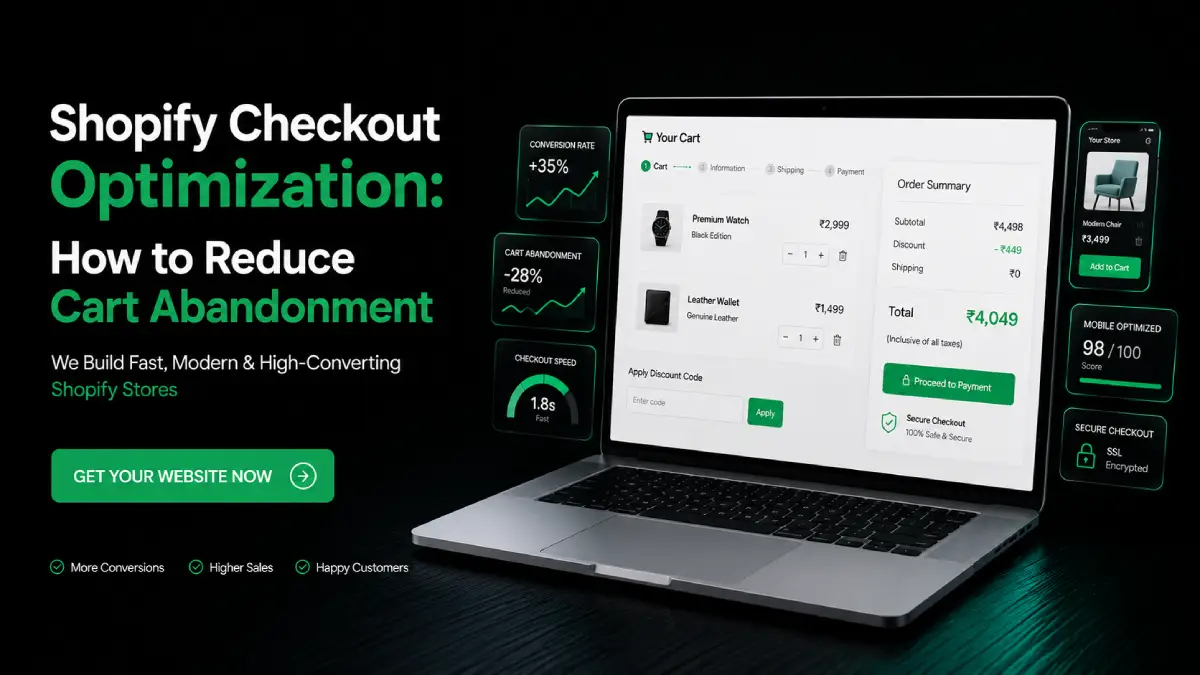
Shopify Checkout Optimization: How to Reduce Cart Abandonment
Shopify Checkout Optimization: How to Reduce Cart Abandonment Introduction Many Shopify stores get product views and add-to-cart actions but lose customers during checkout. This usually happens because of extra steps, unclear shipping charges, payment issues, slow pages, or lack of trust. Shopify checkout optimization helps ecommerce brands reduce cart abandonment and improve sales. Drawlead helps businesses build conversion-focused Shopify stores with better checkout flow, user experience, tracking, and ecommerce growth support. What Is Shopify Checkout Optimization? Shopify checkout optimization is the process of improving the checkout experience so more customers complete their purchases. It focuses on making the checkout process: Simple Fast Mobile-friendly Trustworthy Easy to understand Clear about payment and shipping Free from unnecessary friction A good Shopify checkout flow helps customers move from cart to payment without confusion. It also helps store owners improve checkout conversion rate and reduce abandoned checkout in Shopify. Why Is Shopify Checkout Optimization Important? Checkout is the final step before a sale. If customers face problems at this stage, all your marketing, SEO, product page design, and ad spend can go waste. Shopify checkout optimization is important because it helps improve: Completed orders Customer trust Payment success Mobile checkout experience Average order value Repeat purchases Ecommerce checkout optimization Shopify store revenue Even small checkout improvements can make a big difference when your store gets regular traffic. Why Do Customers Abandon Shopify Carts? Shopify cart abandonment happens when a customer adds products to the cart but does not complete the purchase. Common reasons include: Unexpected shipping charges Limited payment options Slow checkout page Complicated checkout steps Forced account creation Discount code not working Lack of trust signals Confusing return policy Poor mobile experience Payment gateway issues No clear delivery timeline Technical checkout issues To reduce cart abandonment Shopify store owners should review the full checkout journey, not only the checkout page. Key Benefits of Shopify Checkout Optimization A well-optimized Shopify checkout can support better ecommerce growth. Key benefits include: Higher checkout conversion rate Fewer abandoned carts Better customer experience More completed payments Improved mobile shopping experience Better use of abandoned cart recovery Reduced customer hesitation Better return on ad spend More revenue from existing traffic For ecommerce brands, checkout optimization is one of the most important conversion improvement tasks. Important Features of a High-Converting Shopify Checkout A strong checkout should give customers confidence and clarity. Important features include: Simple checkout flow Clear cart summary Guest checkout option Multiple payment methods Trusted Shopify payment gateway Clear shipping options Visible return policy Secure payment messaging Discount code checkout support Checkout progress bar Mobile-friendly layout Fast loading checkout experience Abandoned cart email setup Order confirmation page Conversion tracking These features help reduce confusion and improve purchase completion. Shopify Checkout Optimization Process Step 1: Review Your Checkout Flow Start by testing your Shopify checkout flow like a real customer. Add a product to cart, apply a discount code, select shipping, choose payment, and complete the order process. Check if the process feels simple or confusing. Step 2: Reduce Unnecessary Steps Every extra step can create friction. Keep the checkout process short and focused. Avoid asking for too much information unless it is required for order delivery or customer support. Step 3: Show Shipping Costs Early Unexpected shipping costs are one of the main reasons for cart abandonment. Show shipping options clearly before the final payment step. If free shipping is available, mention it clearly on product pages, cart pages, and checkout. Step 4: Offer Trusted Payment Options A reliable Shopify payment gateway improves trust. Customers should be able to pay using familiar and secure payment methods. Depending on the target market, stores can offer cards, UPI, wallets, net banking, cash on delivery, or other suitable payment options. Step 5: Improve Mobile Checkout Many customers shop from mobile devices. Your checkout buttons, forms, payment options, and cart summary should be easy to use on smaller screens. Mobile checkout should be fast, readable, and simple. Step 6: Use Discount Codes Carefully Shopify discount code checkout should work smoothly. If customers face discount errors, they may abandon the purchase. Use clear discount rules and test every offer before running campaigns. Step 7: Set Up Abandoned Cart Recovery Shopify abandoned cart recovery helps bring back customers who left before buying. Use: Shopify abandoned cart email Reminder email flow Limited-time discount Product reminder WhatsApp follow-up if suitable Retargeting ads A good Shopify abandoned cart flow can recover missed sales. Step 8: Track Checkout Performance Use analytics to understand where users drop off. Track cart visits, checkout starts, payment attempts, completed purchases, and abandoned checkout recovery. This helps you improve checkout based on real data. Shopify Checkout Optimization vs Normal Checkout Factor Normal Checkout Optimized Shopify Checkout Checkout flow Basic setup Simple and conversion-focused Shipping details May appear late Clear and early Payment options Limited Customer-friendly options Mobile experience Default layout Tested and improved Discount code Basic setup Tested and clear Abandoned cart recovery Not planned Email and recovery flow added Conversion tracking Limited Measured and improved Business result More drop-offs possible Better checkout conversion rate A normal checkout may work, but an optimized checkout helps more customers complete purchases. Real-World Examples Fashion Store A fashion Shopify store may reduce cart abandonment by adding size charts, easy returns, clear shipping timelines, and mobile-friendly checkout. Jewellery Store A jewellery store can improve trust by showing secure payment options, return policy, authenticity details, and customer support during checkout. Beauty Ecommerce Store A beauty brand can improve checkout conversion by adding product bundles, discount code clarity, and abandoned cart email reminders. Grocery or Daily Essentials Store A grocery store can improve checkout by showing delivery slots, payment options, and clear order confirmation. Electronics Store An electronics store can reduce hesitation by showing warranty details, EMI options, trusted payment gateway support, and secure checkout messaging. Shopify Abandoned Cart Recovery: What Should You Do? Shopify abandoned cart recovery helps bring customers back after they leave the checkout. A simple recovery flow can include: First reminder email after a
How a Fast Loading Website Improves SEO, Leads, and Sales
How a Fast Loading Website Improves SEO, Leads, and Sales Introduction A slow website can lose visitors before they even see your services or products. If pages take too long to load, users may leave without calling, submitting a form, or buying. Website speed optimization helps businesses improve SEO, user experience, leads, and sales. Drawlead helps businesses build fast, responsive, and conversion-focused websites that support better online growth. What Is Website Speed Optimization? Website speed optimization is the process of improving how fast a website loads and responds to users. It includes improving images, code, hosting, caching, mobile performance, server response time, and page structure. A fast loading website should load quickly on desktop and mobile devices. It should allow users to move from one page to another without delay. Website speed optimization focuses on: Faster page loading Better mobile experience Lower bounce rate Improved Core Web Vitals Better technical SEO Smoother user experience Higher lead and sales conversion Why Is Website Speed Optimization Important? Website speed is important because users expect quick answers. If your website is slow, visitors may move to a competitor’s website. A slow website can affect: SEO performance User experience Lead generation Sales conversion Ad campaign performance Mobile traffic Brand trust For businesses that depend on website enquiries, page speed optimization is not only a technical task. It is a business growth factor. How Website Speed Improves SEO Search engines want to show useful and user-friendly pages. A website that loads faster creates a better experience for users. Website speed and SEO are connected because speed affects: Page experience Crawl efficiency Mobile usability User engagement Bounce rate Core Web Vitals Technical SEO performance A fast loading website gives users a smoother experience, which can support better search performance over time. How Website Speed Improves Leads A business website should help users take action. If your website is slow, users may leave before reaching your contact form, WhatsApp button, or service page. Fast websites help improve leads by: Loading service pages quickly Making contact forms easier to access Helping users click call buttons faster Improving WhatsApp enquiry flow Reducing waiting time Keeping visitors engaged Supporting landing page performance For lead generation websites, speed directly affects how many users stay and enquire. How Website Speed Improves Sales For ecommerce websites, speed can affect buying decisions. If product pages, cart pages, or checkout pages load slowly, customers may abandon the purchase. Website performance optimization helps improve sales by: Making product pages load faster Improving product browsing Reducing cart abandonment Making checkout smoother Improving mobile shopping Increasing customer confidence A fast website creates a better shopping experience and supports better ecommerce conversion. Key Benefits of a Fast Loading Website A fast loading website gives many business advantages. Key benefits include: Better user experience Improved SEO support Higher engagement Better mobile performance More form submissions More calls and WhatsApp enquiries Better ecommerce sales Improved ad landing page results Stronger brand trust Better website conversion optimization Website speed optimization services help businesses improve both technical performance and business results. How to Check Website Loading Speed Before improving speed, you need to test loading speed of website pages. Useful checks include: Google PageSpeed Insights Core Web Vitals report Google Search Console Website page loading speed test tools Mobile speed testing Real user experience tracking Google Analytics engagement reports A page loading speed check helps identify what is slowing down the website. Website Speed Optimization Process Step 1: Run a Website Speed Test Start with a website page loading speed test. Check homepage, service pages, product pages, blog pages, and landing pages. Do not check only one page. Each page can have different speed issues. Step 2: Compress and Resize Images Large images are one of the biggest reasons for slow websites. Use compressed image formats and upload correct image sizes. Avoid uploading heavy images directly from camera or design files. Step 3: Improve Hosting Performance Good hosting helps improve server response time. Cheap or overloaded hosting can make even a well-designed website slow. For business websites, reliable hosting is important. Step 4: Use Caching Caching helps store website files so pages can load faster for repeat visitors. This is useful for WordPress, Shopify, and business websites. Caching can improve page speed optimization when configured correctly. Step 5: Reduce Unnecessary Plugins Too many plugins can slow down a WordPress website. Use only necessary plugins and remove unused ones. A wordpress website speed optimization plugin can help, but too many plugins can create the opposite result. Step 6: Optimize Code Heavy CSS, JavaScript, and unused code can slow down a website. Minifying and cleaning code improves performance. This is part of technical SEO optimization. Step 7: Improve Mobile Speed Most users browse from mobile phones. Your website must be fast and responsive on mobile devices. A fast website design should work smoothly on all screen sizes. Step 8: Monitor Speed Regularly Website speed is not a one-time task. New plugins, images, videos, scripts, and updates can affect performance. Check website loading speed regularly to maintain performance. Fast Loading Website vs Slow Website Factor Fast Loading Website Slow Loading Website User experience Smooth and quick Frustrating and delayed SEO support Better technical performance May affect page experience Leads More users reach contact options Users may leave early Sales Easier product browsing and checkout Higher chance of drop-offs Mobile experience Better browsing Poor engagement Trust Professional impression Weak brand experience A fast loading website helps users complete actions with less friction. Conclusion Website speed optimization is important for every business that wants better SEO, more leads, and improved sales. A fast loading website helps users stay longer, explore services or products, and complete actions like calls, WhatsApp enquiries, forms, and purchases. If your website loads slowly, it may be affecting your search performance and business enquiries. Drawlead helps businesses with Website Development, Shopify Development, WordPress Development, Ecommerce Website Development, SEO Services, ERP Solutions, AI Website Solutions, and Website Speed Optimization. Contact Drawlead to build a

How AI Chatbots Help Websites Generate More Business Enquiries
How AI Chatbots Help Websites Generate More Business Enquiries Introduction Many business websites get visitors but lose enquiries because users do not get quick answers. A delayed response can make visitors leave without calling, filling a form, or sending a WhatsApp message. An AI chatbot for website helps solve this problem by responding instantly and guiding users toward the right action. Drawlead helps businesses use chatbot integration, website automation, and conversion-focused website development to turn visitors into qualified enquiries. What Is an AI Chatbot for Website? An AI chatbot for website is a smart chat system added to a business website. It can answer common questions, collect user details, suggest services, and guide visitors to take action. Unlike a simple contact form, a chatbot creates a live conversation. It can ask questions like: What service are you looking for? Do you need pricing details? Would you like a callback? Can we connect you on WhatsApp? Are you looking for Shopify, WordPress, SEO, or website development? This makes the website more interactive and useful for visitors. Why Is an AI Chatbot Important for Business Enquiries? A website should not only look good. It should also help generate leads. Many users do not want to search through many pages to find answers. They want quick guidance. An AI chatbot for lead generation helps businesses by: Answering questions instantly Collecting name, phone number, and email Understanding the visitor’s requirement Sending enquiries to the sales team Reducing missed opportunities Improving customer support automation Helping users take the next step For service businesses, ecommerce brands, clinics, real estate companies, education institutes, and B2B brands, quick response is very important. Key Benefits of AI Chatbot for Website Lead Generation 1. Captures Leads 24/7 A lead generation chatbot works even after office hours. If a visitor comes to your website at night or on a weekend, the chatbot can still collect their enquiry. This helps businesses avoid losing leads when the team is unavailable. 2. Gives Instant Answers Visitors may have questions about services, pricing, process, location, delivery, booking, or support. A chatbot can answer these questions immediately. Fast answers improve user experience and build trust. 3. Improves Website Enquiry Generation A chatbot for lead generation can ask the right questions and collect useful details. This makes the enquiry more qualified than a basic form submission. For example, instead of only collecting a phone number, the chatbot can ask whether the user needs website development, SEO, Shopify development, ERP, or ads. 4. Supports Sales Teams The chatbot can filter enquiries before sending them to the sales team. This saves time and helps the team focus on serious leads. It can also share visitor requirements directly through CRM, email, dashboard, or WhatsApp integration. 5. Improves Conversion Rate A conversion focused website should guide users toward action. A chatbot improves conversion by reducing confusion and giving visitors a simple way to contact the business. This is useful for landing pages, service pages, ecommerce product pages, and campaign pages. Important AI Chatbot Features for Business Websites A good AI chatbot should have features that support business goals. Important AI chatbot features include: Instant reply support Lead capture form Service-based questions WhatsApp connection Call request option Appointment booking support Ecommerce product assistance CRM integration Email notification User intent understanding Multilingual support if needed Mobile-friendly chat window Analytics and enquiry tracking These features help the chatbot work as a website enquiry assistant. How AI Chatbots Generate More Enquiries Step 1: Visitor Lands on the Website The visitor may come from Google Search, Meta Ads, Google Ads, social media, or referral traffic. Step 2: Chatbot Starts the Conversation The chatbot greets the visitor and asks what they need help with. Example:“Hi, are you looking for website development, SEO, Shopify development, or ecommerce solutions?” Step 3: Chatbot Understands the Requirement The chatbot asks simple questions to understand the user’s need. Example:“Do you need a new website or redesign of an existing website?” Step 4: Chatbot Collects Lead Details The chatbot collects useful details like name, phone number, email, company name, service requirement, and preferred contact method. Step 5: Lead Goes to the Business Team The enquiry can be sent to email, CRM, WhatsApp, or a dashboard. Step 6: Sales Team Follows Up The business team can contact the lead quickly with the right solution. This process improves website automation and reduces manual work. AI Chatbot for Ecommerce Websites An AI chatbot for ecommerce can help online stores improve customer support and product discovery. It can help customers with: Product suggestions Size or variant questions Delivery details Return policy Payment questions Order support Product availability Cart-related questions For Shopify and ecommerce websites, chatbot integration can reduce customer hesitation and support better sales enquiries. AI Chatbot vs Normal Contact Form Feature Normal Contact Form AI Chatbot User experience Static Conversational Response time Delayed Instant Lead quality Basic details only Requirement-based details Availability Always visible but passive Active 24/7 support Guidance No guidance Guides users step by step Best use Simple enquiries Lead generation and support Both are useful, but a chatbot is more interactive and better for quick engagement. Best Practices for AI Chatbot Integration To get better results, chatbot integration should be planned properly. Use these best practices: Keep chatbot questions simple Do not ask too many details at once Add service-based options Include WhatsApp and call options Connect chatbot to CRM or email Use chatbot on important pages Track chatbot enquiries Test mobile view Keep answers clear and helpful Update chatbot content regularly A chatbot should feel helpful, not annoying. Real-World Examples Healthcare Business A clinic website can use a chatbot to collect appointment enquiries, service questions, patient location, and preferred consultation time. Ecommerce Brand An ecommerce store can use an AI chatbot for ecommerce to help users choose products, check delivery details, and understand return policies. Education Institute An institute can use a chatbot to collect course enquiries, batch preferences, student details, and callback requests. Construction Company A construction business can use

Shopify Store Design Ideas for Better User Experience and Sales
Shopify Store Design Ideas for Better User Experience and Sales Introduction Many Shopify stores look good but still fail to convert visitors into buyers. The reason is often poor layout, confusing navigation, slow loading pages, or weak product presentation. Shopify website design is not only about visual style; it is about creating a store that helps customers browse, trust, and buy easily. Drawlead helps ecommerce brands build Shopify stores with better user experience, clear design, and sales-focused structure. What Is Shopify Website Design? Shopify website design is the process of planning and designing an online store on Shopify. It includes the homepage, collection pages, product pages, cart, checkout flow, banners, navigation, colors, images, buttons, and mobile layout. A good Shopify design should help users: Understand the brand quickly Find products easily View product details clearly Trust the store Add products to cart Complete checkout smoothly Shopify store design should balance appearance, usability, SEO, and conversion. Why Is Shopify Website Design Important? A Shopify store is not just an online catalogue. It is a digital sales platform. If the design is confusing, slow, or not mobile-friendly, customers may leave without buying. Strong Shopify website design supports: Better user experience Higher product engagement Better trust and credibility Improved add-to-cart actions Better mobile shopping Higher ecommerce sales Stronger brand identity Better SEO and conversion tracking For ecommerce brands, design directly affects how customers feel and how quickly they make purchase decisions. Key Benefits of Better Shopify Store Design 1. Better First Impression Customers judge an online store within seconds. A clean, professional Shopify store design helps your brand look trustworthy. A poor design can make users doubt product quality, even if the products are good. 2. Easier Product Discovery Good navigation helps customers find products faster. Categories, filters, search bars, and collection pages should be simple and clear. When customers find products easily, they are more likely to buy. 3. Higher Conversion Rate A conversion focused Shopify store uses strong CTAs, product highlights, trust badges, reviews, and easy checkout steps. This helps reduce confusion and improves sales. 4. Better Mobile Experience Most ecommerce visitors browse from mobile phones. Responsive Shopify website design ensures the store works smoothly on all screen sizes. Buttons, product images, menus, and checkout should be easy to use on mobile. 5. Better Brand Trust A well-designed store builds confidence. Customers are more likely to buy when the website looks professional, secure, and easy to use. Shopify Store Design Ideas for Better UX and Sales 1. Use a Clear Homepage Layout Your homepage should quickly explain what your store sells and why customers should buy from you. A good Shopify homepage should include: Clear hero banner Main product categories Best-selling products Offers or new arrivals Customer reviews Trust badges Simple CTA buttons Brand story section Avoid overcrowding the homepage with too many banners or confusing sections. 2. Keep Navigation Simple Navigation is one of the most important parts of user experience for ecommerce. Customers should not struggle to find products. Use clear menu labels like: New Arrivals Best Sellers Collections Men Women Accessories Offers Contact For large ecommerce stores, use filters and mega menus carefully. 3. Design Product Pages for Buying Decisions Your product page should answer customer questions before they ask. A strong Shopify product page should include: Product title High-quality images Price Offers Size or variant options Product description Key features Delivery details Return policy Reviews Add-to-cart button Product pages should be clean, readable, and mobile-friendly. 4. Use High-Quality Product Images Product images are very important for ecommerce sales. Customers cannot touch the product, so visuals must build confidence. Use: Front view images Side view images Close-up images Lifestyle images Size reference images Product usage images Good product images improve trust and reduce hesitation. 5. Improve Collection Page Design Collection pages help users compare products. A weak collection page can make browsing difficult. A good collection page should include: Clear category title Short category description Product filters Sorting options Product image Price Offers Quick view option Add-to-cart option if suitable This improves Shopify store design and user experience. 6. Make CTA Buttons Clear CTA buttons guide users to take action. Use simple button text like: Add to Cart Buy Now Shop Now View Collection Get Offer Contact Us CTA buttons should be visible, easy to tap, and placed in important sections. 7. Add Trust Signals Trust is important for online shopping. Customers may hesitate if they do not know your brand. Add trust signals like: Customer reviews Secure payment icons Return policy Delivery information Warranty details Contact details WhatsApp support Real product photos Trust signals help improve conversions. 8. Focus on Mobile-First Design Responsive Shopify website design is a must. Mobile users should be able to browse, select products, add to cart, and checkout easily. Check: Font size Button size Menu usability Product image loading Sticky add-to-cart button Checkout flow Page speed A poor mobile experience can reduce sales. Important Features of a Sales-Focused Shopify Store A high-performing Shopify ecommerce website design should include: Clean homepage Fast loading pages Easy navigation Mobile responsive layout Search option Product filters Clear product pages Customer reviews Trust badges Simple checkout Related product suggestions Cart drawer Wishlist option WhatsApp or chat support Conversion tracking These features improve both user experience and sales performance. Shopify Website Design vs Basic Store Setup Feature Basic Shopify Setup Sales-Focused Shopify Design Homepage Simple theme layout Conversion-focused layout Product Pages Basic product details Images, reviews, FAQs, trust signals Mobile View Default responsive theme Mobile-first optimized design Navigation Basic menu User-friendly categories and filters Checkout Support Default checkout Better cart flow and trust elements Business Goal Store launch Better UX, leads, and sales A basic store can help you start. A sales-focused design helps you grow. Real-World Examples Jewellery Store A jewellery Shopify store can improve sales with close-up product images, size details, trust badges, customer reviews, and clear collection filters. Fashion Store A fashion brand can improve user experience with size charts, model images, fabric details,
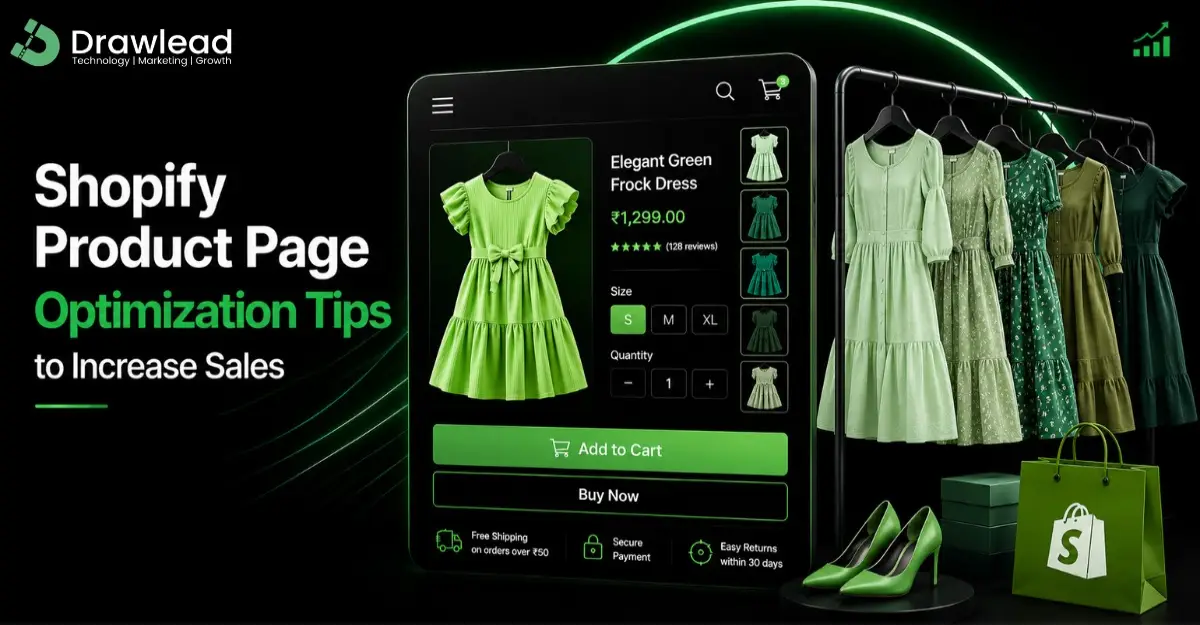
Shopify Product Page Optimization Tips to Increase Sales
Shopify Product Page Optimization Tips to Increase Sales Introduction Many Shopify stores get visitors but fail to convert them into buyers. One major reason is a weak product page. If your product page does not clearly explain the product, show quality images, answer customer questions, or guide users to buy, sales can drop. Shopify product page optimization helps ecommerce brands improve product visibility, trust, and conversion. Drawlead helps businesses build Shopify product pages that support better sales and online growth. What Is Shopify Product Page Optimization? Shopify product page optimization is the process of improving a product page so it performs better for users and search engines. It includes optimizing: Product title Product description Product images Product video Image slider Page layout SEO elements Add-to-cart button Trust signals Reviews Delivery details Return policy Mobile layout Page speed A product page should not only display a product. It should help customers understand the value and make a buying decision. Why Is Shopify Product Page Optimization Important? Your product page is where buying decisions happen. Customers may come from Google, ads, social media, email campaigns, or direct search. If the product page is unclear or poorly designed, visitors may leave without buying. Optimized product pages help improve: Product visibility Customer trust Add-to-cart rate Shopify product page conversion SEO ranking User experience Ecommerce sales Return customer interest For ecommerce brands, product page quality directly affects revenue. Key Benefits of Optimized Shopify Product Pages 1. Better Product Understanding Customers need clear information before buying. A strong Shopify product page description helps explain product features, benefits, usage, size, material, delivery, and return details. When customers get answers quickly, they feel more confident. 2. Higher Conversion Rate Shopify product page conversion improves when the page is simple, clear, and action-focused. Clear CTAs, trust badges, reviews, and product benefits can help users move from interest to purchase. 3. Better SEO Visibility Shopify product page SEO helps products appear in Google Search. Product titles, meta descriptions, image alt text, headings, and unique descriptions help search engines understand the page. 4. Improved User Experience A clean Shopify product page design makes shopping easier. Users should be able to view images, read details, select variants, add to cart, and checkout without confusion. 5. Better Mobile Shopping Most ecommerce users shop from mobile phones. A product page should look good and work smoothly on mobile devices. Important Features Every Shopify Product Page Should Have A sales-focused Shopify product page should include: Clear product title High-quality product images Product image slider Product video if needed Short product highlights Detailed product description Price and offer details Size, color, or variant options Stock availability Delivery information Return and exchange details Customer reviews Trust badges FAQ section Clear add-to-cart button Related products Mobile-friendly layout These features improve Shopify store optimization and help customers buy with confidence. Shopify Product Page Optimization Tips Step 1: Write a Clear Product Title Your product title should be simple and descriptive. It should include the product name and important details like type, size, color, or material if needed. Avoid unclear or overly creative titles that confuse customers. Step 2: Optimize Product Descriptions Shopify product description optimization should focus on benefits, not only features. A good description should explain: What the product is Who it is for Main benefits Material or specifications Usage details Care instructions Delivery and return support Use short paragraphs and bullet points for easy reading. Step 3: Use High-Quality Product Images Shopify product image optimization is important for trust and conversion. Use clear product images from multiple angles. Include close-up shots, lifestyle images, size reference images, and product usage images where possible. Step 4: Add Product Videos A Shopify product page video can improve engagement. Videos help customers understand product size, usage, quality, and appearance better. This is especially useful for fashion, jewellery, beauty, gadgets, furniture, and lifestyle products. Step 5: Improve Product Page Layout A good Shopify product page layout should make information easy to find. Place important elements above the fold: Product image Product title Price Rating Variant selector Add-to-cart button Key benefits The layout should guide users naturally toward buying. Step 6: Add Trust Elements Trust elements reduce hesitation. Add: Reviews Secure payment icons Return policy Delivery details Warranty information Customer support option WhatsApp enquiry button Trust is important for first-time customers. Step 7: Optimize for SEO For Shopify product page SEO, optimize: Product title Meta title Meta description URL handle Image alt text Product description Internal links Related products Avoid copying product descriptions from suppliers. Unique content performs better. Real-World Use Cases A jewellery brand can improve conversions by adding close-up product images, material details, size information, and trust badges. A fashion store can reduce returns by adding size charts, product videos, and clear fabric details. A skincare brand can increase sales by adding usage instructions, benefits, ingredients, reviews, and FAQs. These small changes can improve customer confidence and ecommerce sales. Conclusion Shopify product page optimization is important for ecommerce brands that want better sales, better SEO, and better customer trust. A strong product page should be clear, mobile-friendly, SEO-ready, visually attractive, and conversion-focused. If your Shopify product pages are not generating sales, Drawlead can help with Shopify website development, product page optimization, ecommerce SEO, Shopify store optimization, and conversion-focused website solutions. Contact Drawlead to build Shopify pages that support real business growth. Recent Posts Why Every Business Needs a Professional Website in 2026 SEO Do’s and Don’ts: Best Practices for Small Businesses Search … How AI Improves Shopify Store Design and Sales Conversion How AI Improves Shopify Store Design and Sales Conversion Introduction … Book a Consultation Ready to take your business to the next level ? Book a Free Consultation Frequently Asked Questions 1. Why is Shopify product page optimization important? It helps improve product visibility, user experience, customer trust, add-to-cart rate, and ecommerce sales. 2. How can I optimize Shopify product descriptions? Use clear product benefits, specifications, usage details, delivery information, and simple bullet points to help customers understand