
SEO Do’s and Don’ts: Best Practices for Small Businesses Search …
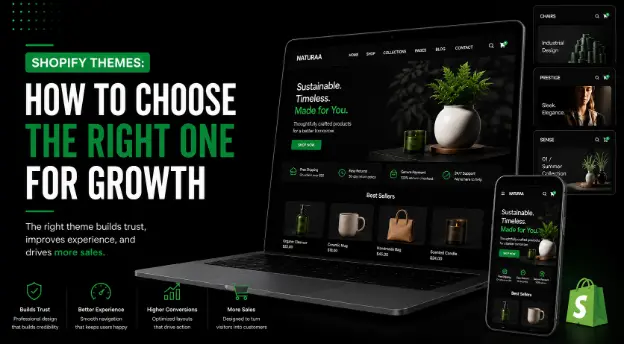
Shopify Themes: How to Choose the Right One for Growth
Introduction
Choosing the wrong Shopify theme can affect your store speed, mobile experience, SEO, and sales. Many ecommerce brands select a theme only because it looks attractive, but design alone is not enough. Shopify themes should support product browsing, trust, conversions, and business growth. Drawlead helps e-commerce brands choose, customize, and develop Shopify stores that are user-friendly, SEO-ready, and sales-focused.
What Are Shopify Themes?
Shopify themes are pre-designed website layouts used to build Shopify online stores. A theme controls how your homepage, product pages, collection pages, cart, menu, banners, and store layout appear to customers.
A Shopify theme can include:
- Homepage sections
- Product page layout
- Collection page design
- Cart page design
- Navigation menu
- Mobile layout
- Product image gallery
- Search and filter options
- Promotional banners
- Footer structure
- Blog layout
A good theme should make shopping easy and help customers move from browsing to purchase.
Why Are Shopify Themes Important for Ecommerce Growth?
Your Shopify theme is more than a design choice. It affects how customers experience your store.
A strong Shopify theme can help improve:
- User experience
- Mobile shopping
- Product discovery
- Page speed
- SEO structure
- Brand trust
- Add-to-cart actions
- Checkout flow
- Ecommerce sales
If your theme is slow, confusing, or not mobile-friendly, customers may leave before buying. That is why choosing the right theme matters for long-term growth.
Key Benefits of Choosing the Right Shopify Theme
The right Shopify theme gives your online store a strong foundation.
Key benefits include:
- Better first impression
- Faster page loading
- Smooth mobile experience
- Better product presentation
- Clear navigation
- Higher customer trust
- Better SEO support
- Easier store management
- More conversion opportunities
A conversion focused Shopify theme helps customers find products, trust your brand, and complete purchases with less confusion.
Free Shopify Themes vs Premium Shopify Themes
Many new store owners search for free Shopify themes or best free Shopify themes. Free themes can be useful for small stores or new ecommerce brands with a limited budget.
Premium themes usually offer more design options, advanced sections, better product page layouts, and more customization flexibility.
Factor | Free Shopify Themes | Premium Shopify Themes |
Cost | No theme purchase cost | Paid theme cost |
Best For | New or small stores | Growing ecommerce brands |
Design Options | Basic to moderate | More advanced layouts |
Customization | Limited | More flexible |
Features | Basic store features | More ecommerce-focused features |
Growth Support | Good for starting | Better for scaling |
Free themes are good for starting, but growing brands may need a premium or custom theme for better design and conversion control.
Important Features to Look for in Shopify Themes
Before choosing from the Shopify theme store, check whether the theme supports your business goals.
Important features include:
- Mobile responsive layout
- Fast loading performance
- SEO-friendly structure
- Clean product page design
- Strong collection page layout
- Easy navigation
- Product filtering
- High-quality image support
- Customer review support
- Trust badge sections
- Promotional banner sections
- Cart drawer or cart page flexibility
- Blog support
- Easy customization
- App compatibility
A theme should support both design and sales performance.
How to Choose the Best Shopify Themes for Your Store
1. Choose Based on Your Product Category
Different ecommerce stores need different layouts.
For example:
- A fashion store needs strong image galleries, size charts, filters, and collection layouts.
- A jewellery store needs close-up images, trust sections, reviews, and elegant product pages.
- A beauty store needs ingredient sections, FAQs, reviews, and product bundles.
- An electronics store needs specifications, comparison sections, warranty details, and trust signals.
Do not choose a theme only because it looks good. Choose one that matches your product type and customer journey.
2. Check Mobile Responsiveness
A mobile friendly Shopify theme is essential because many shoppers browse and buy from smartphones.
Check:
- Mobile menu
- Product image display
- Add-to-cart button
- Cart page
- Checkout flow
- Font readability
- Button size
- Page speed on mobile
If the mobile experience is weak, the theme may reduce sales.
3. Choose a Fast Loading Shopify Theme
A fast loading Shopify theme improves user experience and supports better ecommerce performance.
Avoid themes that are overloaded with too many animations, heavy sliders, or unnecessary scripts.
A fast theme should have:
- Clean code
- Optimized sections
- Lightweight design
- Fast product image loading
- Smooth mobile performance
- Limited unnecessary effects
Speed is important for SEO, paid ads, and conversions.
4. Check SEO-Friendly Structure
An SEO friendly Shopify theme should support proper headings, clean code, indexable content, image alt text, structured layout, and fast performance.
SEO-friendly themes help improve:
- Collection page visibility
- Product page structure
- Blog readability
- Internal linking
- Mobile usability
- Core Web Vitals
A theme alone will not guarantee rankings, but it can support strong Shopify SEO.
5. Review Product Page Design
Product pages are where buying decisions happen. A good Shopify ecommerce theme should make product details easy to understand.
A strong product page should include:
- Product title
- Price
- Product images
- Variants
- Size or option selector
- Product description
- Reviews
- Delivery details
- Return policy
- Trust badges
- Related products
- Add-to-cart button
If the product page is weak, the store may lose conversions.
6. Check Collection Page Layout
Collection pages help customers browse product categories. A good Shopify theme should support clear product grids, filters, sorting, and category content.
For ecommerce growth, collection pages should be easy to browse and SEO-friendly.
Look for:
- Product filters
- Sorting options
- Clear product images
- Product price visibility
- Sale badge support
- Category descriptions
- Mobile-friendly product grid
7. Check Theme Customization Options
Shopify theme customization helps you adjust the theme based on your brand and sales goals.
Check whether the theme allows you to customize:
- Homepage sections
- Product page blocks
- Collection page layout
- Header and footer
- Colors and fonts
- Promotional banners
- Trust sections
- Testimonials
- Blog layout
If customization is limited, you may need Shopify theme development or a Shopify custom theme.
8. Use Shopify Theme Detector Carefully
A Shopify theme detector, Shopify theme checker, or Shopify theme finder can help identify themes used by other stores. This is useful for competitor research.
But do not copy another store blindly.
Use these tools only to understand:
- Theme style
- Layout ideas
- Product page structure
- Navigation style
- Category presentation
Your final theme should match your own brand, product type, and customer needs.
Shopify Custom Theme vs Ready-Made Theme
Factor | Ready-Made Shopify Theme | Shopify Custom Theme |
Setup Time | Faster | Takes more time |
Cost | Lower | Higher |
Flexibility | Limited to theme options | Fully customized |
Best For | New and mid-level stores | Growing brands with specific needs |
Branding | Template-based | Unique brand experience |
Features | Theme-dependent | Built based on requirements |
A ready-made theme is good for many stores. A Shopify custom theme is better when your brand needs unique design, custom product pages, advanced features, or a stronger conversion strategy.
Step-by-Step Process to Choose the Right Shopify Theme
Step 1: Define Your Store Goal
Decide whether your goal is brand awareness, more sales, better mobile shopping, product discovery, or premium positioning.
Step 2: List Required Features
Write down the features you need, such as filters, reviews, size charts, product videos, bundles, or quick view.
Step 3: Check Theme Demo Stores
Review demo stores from the Shopify theme store. Test homepage, product page, collection page, cart, and mobile view.
Step 4: Test Mobile Experience
Open the theme demo on mobile and check whether the shopping flow feels easy.
Step 5: Review Speed and Simplicity
Choose a clean and fast theme. Avoid themes that feel heavy or confusing.
Step 6: Check Customization Options
Make sure the theme can be adjusted for your brand colors, banners, sections, product pages, and conversion needs.
Step 7: Plan SEO and Tracking
After choosing a theme, set up SEO, analytics, Search Console, Meta Pixel, and conversion tracking.
Expert Tips for Shopify Theme Selection
- Choose speed over heavy design effects.
- Prioritize mobile experience.
- Pick a theme based on customer journey.
- Check product and collection pages carefully.
- Avoid too many unnecessary apps.
- Use a theme that supports SEO basics.
- Choose a design that can grow with your business.
- Customize the theme for your brand.
- Track performance after launch.
- Review theme updates regularly.
Quick Checklist Before Choosing a Shopify Theme
Use this checklist:
- Theme matches product category
- Mobile layout is smooth
- Product page is strong
- Collection page is easy to browse
- Theme loads fast
- SEO structure is clean
- Customization options are available
- Cart experience is simple
- Trust sections are available
- App compatibility is good
- Brand design can be applied
- Theme supports future growth
Conclusion
Shopify themes play an important role in e-commerce growth. The right theme can improve store design, speed, mobile experience, SEO, product discovery, and sales conversion.
Instead of choosing a theme only for appearance, businesses should check performance, product page layout, collection page structure, mobile responsiveness, SEO support, and customization options.
Drawlead helps businesses with website development, Shopify Development, WordPress development, e-commerce website development, SEO Services, ERP Solutions, and AI Website Solutions. Contact Drawlead to choose, customize, or develop a Shopify theme that supports ecommerce growth.
Recent Posts
How AI Improves Shopify Store Design and Sales Conversion Introduction …
Frequently Asked Questions
The best Shopify theme for growth is fast, mobile-friendly, SEO-friendly, easy to customize, suitable for your product category, and designed for conversions.
Free Shopify themes are good for starting. Paid themes are better when you need more design options, advanced layouts, and better ecommerce features.
Shopify theme customization means changing the design, layout, sections, product pages, colors, fonts, and features of a Shopify theme to match your brand and business goals.
Shopify theme development means creating or modifying a Shopify theme using design, coding, and ecommerce functionality to match specific business needs.
Drawlead helps businesses with Shopify website development, theme customization, custom theme development, ecommerce SEO, speed optimization, and conversion-focused store design.