
Modern E-commerce Web Design Services for Business Growth Introduction Many businesses want to sell online, but a basic website is not enough to grow ecommerce sales. Customers expect fast loading pages, clear product details, secure payments, smooth checkout, and mobile-friendly design. Ecommerce website development helps businesses build an online store that supports trust, SEO, and sales. Drawlead helps brands create modern ecommerce websites that are designed for better user experience, enquiries, and business growth. What Is Ecommerce Website Development? Ecommerce website development is the process of planning, designing, building, and launching an online store where customers can browse products and make purchases. It includes more than just website design. A complete ecommerce website needs product management, cart, checkout, payment gateway, shipping settings, customer communication, SEO setup, tracking, and performance optimization. A good ecommerce website should help customers move smoothly from product discovery to purchase. Why Modern Ecommerce Website Design Matters Modern ecommerce website design is important because online shoppers make quick decisions. If your website looks outdated, loads slowly, or feels difficult to use, users may leave without buying. A modern ecommerce website should be: Easy to browse Mobile responsive Fast loading SEO-friendly Secure for payments Clear about product details Simple to checkout Trustworthy Designed for conversions Good design helps customers trust your brand and take action faster. Key Benefits of Ecommerce Website Development A professional ecommerce website can support long-term business growth. Key benefits include: Better online sales opportunities Stronger brand trust Improved product visibility Smooth customer shopping experience Better mobile shopping SEO-friendly product and category pages Secure payment processing Easier product management Better customer tracking Higher conversion opportunities For growing businesses, ecommerce website design and development is an investment in digital sales. Important Features of a Modern Ecommerce Website A strong ecommerce business website should include the right features for users and business owners. Important features include: Clean homepage design Product category pages Product detail pages Search and filter options Shopping cart Secure checkout Payment gateway integration Shipping and delivery setup Customer account option Wishlist or save product option Product reviews Discount coupon support Mobile responsive design SEO-friendly URLs Google Analytics setup Meta Pixel setup Order management Contact and support options These features make the website easier to use and better for sales. Ecommerce Website UI UX Design Ecommerce website UI UX design focuses on how the website looks and how users interact with it. UI means the visual design, such as colors, layout, buttons, product images, and spacing. UX means the user experience, such as how easily customers can find products, compare options, add to cart, and complete checkout. Good ecommerce UI UX design should make shopping simple. It should help users: Find products quickly Understand product benefits View price and offers clearly Select size, color, or quantity easily Add products to cart Checkout without confusion Contact support when needed A confusing ecommerce website can reduce sales even when products are good. Ecommerce Website Design and Development Process Step 1: Understand Business Goals Before building an ecommerce website, define the business goal clearly. Ask: What products will be sold? Who is the target customer? How many products will be uploaded? Is the goal sales, enquiries, or both? Which platform is suitable? What payment and shipping methods are needed? Clear planning helps avoid costly mistakes later. Step 2: Choose the Right Platform Popular ecommerce platforms include Shopify, WooCommerce, and custom ecommerce development. Shopify is useful for brands that want a managed ecommerce platform. WooCommerce is useful for WordPress-based ecommerce websites. Custom ecommerce development is useful when a business needs unique workflows, dashboards, or integrations. The right platform depends on products, budget, business model, and growth plans. Step 3: Plan Website Structure A good ecommerce website structure improves user experience and SEO. Basic structure can include: Home page Shop page Product category pages Product detail pages Cart page Checkout page About page Contact page FAQ page Shipping policy Return policy Blog pages A clear structure helps customers and search engines understand the website. Step 4: Design Product and Category Pages Product and category pages are important for ecommerce growth. Product pages should include: Product title High-quality images Price Offers Description Features Specifications Size or variant options Delivery details Return policy Reviews Related products Add-to-cart button Category pages should include filters, sorting, product grids, and short SEO-friendly content. Step 5: Build Cart and Checkout Flow A smooth checkout process helps reduce cart abandonment. The checkout flow should be: Simple Fast Secure Mobile-friendly Clear about shipping Clear about payment Easy to complete Customers should not feel confused during payment or order confirmation. Step 6: Add SEO and Tracking Ecommerce SEO helps products and categories appear in search results. Basic SEO setup includes: SEO-friendly URLs Meta titles Meta descriptions Product image alt text Heading structure Internal linking Sitemap Schema markup Google Search Console Google Analytics Conversion tracking Tracking helps businesses understand sales, traffic, product views, cart actions, and checkout performance. Step 7: Test Before Launch Before launching, test the full ecommerce journey. Check: Product pages Add to cart Coupon codes Payment gateway Shipping rates Mobile layout Contact forms Checkout Order confirmation Website speed Testing helps avoid customer complaints and lost sales. Ecommerce Website Development vs Normal Website Development Factor Normal Business Website Ecommerce Website Main Goal Information and enquiries Online sales and enquiries Product Pages Not required Required Cart and Checkout Not required Required Payment Gateway Usually not needed Essential Shipping Setup Not needed Important SEO Focus Service pages Product and category pages Tracking Forms and calls Sales, cart, checkout, products Complexity Lower Higher An ecommerce website needs more planning because it directly handles sales and customer transactions. Best Practices for Ecommerce Website Growth To get better results from ecommerce web design services, follow these best practices: Keep navigation simple. Use high-quality product images. Write clear product descriptions. Make the website mobile-friendly. Improve page speed. Add secure payment options. Keep checkout simple. Add trust signals and reviews. Use SEO-friendly category pages. Track conversions properly. Add WhatsApp or support options. Update products
Features Every Business Website Must Have for Lead Generation
Features Every Business Website Must Have for Lead Generation Introduction A business website should do more than look good. It should help generate calls, WhatsApp messages, contact form enquiries, and sales opportunities. A lead generation website is designed to convert visitors into potential customers through clear content, strong CTAs, and easy contact options. Drawlead helps businesses build professional websites that support trust, SEO, user experience, and enquiry generation. What Is a Lead Generation Website? A lead generation website is a business website designed to turn visitors into enquiries. It helps users understand your services and guides them to take action. A lead can be: A phone call A WhatsApp message A contact form submission A quote request A consultation booking A product enquiry A demo request A callback request A normal website only gives information. A lead generation website creates a clear path from visitor interest to business enquiry. Why Is a Lead Generation Website Important? Many businesses get website traffic but not enough enquiries. This happens when the website has poor messaging, weak CTAs, slow speed, confusing design, or no tracking. A lead generation website is important because it helps: Build trust quickly Explain services clearly Capture customer details Improve sales opportunities Support SEO and ads Increase phone calls and WhatsApp enquiries Improve website conversion rate Support long-term business growth For business website lead generation, every page should help users move closer to contacting the company. Key Benefits of a Lead Generation Website A well-planned website can become a strong business asset. Key benefits include: More qualified enquiries Better user experience Higher trust and credibility Improved SEO performance Better ad campaign results More calls and WhatsApp messages Clear customer journey Better conversion tracking Stronger sales lead generation A conversion focused website helps businesses generate leads from existing traffic instead of depending only on more visitors. Important Features Every Business Website Must Have for Lead Generation 1. Clear Homepage Message Your homepage should explain what your business does within a few seconds. Visitors should not feel confused. A strong homepage should answer: What service do you offer? Who do you help? Why should customers trust you? What should the visitor do next? Example headline: “Professional Website Development Services for Growing Businesses” This makes your business clear and helps visitors continue reading. 2. Strong CTA Buttons CTA means call-to-action. A CTA button tells users what action to take next. Useful CTA examples: Call Now Get a Free Quote Book a Consultation WhatsApp Us Request Pricing Start Your Project Schedule a Strategy Call A CTA button website should place buttons in the homepage hero section, service pages, landing pages, blog pages, and footer. 3. Simple Contact Form A lead generation form website should have a short and easy form. If the form is too long, users may leave. A simple form can include: Name Phone number Email Service required Message For better lead quality, you can add a dropdown for services such as Website Development, Shopify Development, WordPress Development, SEO, Meta Ads, or ERP Solutions. 4. WhatsApp Integration Website Many users prefer quick communication. A WhatsApp integration website helps visitors message the business instantly. WhatsApp integration is useful because it: Reduces enquiry friction Works well on mobile Helps faster communication Improves lead response time Supports local business enquiries For service businesses in Chennai, WhatsApp can improve enquiry volume when placed properly. 5. Call Button Integration Call button integration is important for mobile users. If visitors are ready to talk, they should be able to call in one tap. Add call buttons in: Header Hero section Service pages Contact page Sticky mobile footer Landing pages This improves business website lead generation, especially for service-based businesses. 6. Mobile Responsive Website A mobile responsive website adjusts properly on mobile, tablet, and desktop. Since many users browse from smartphones, mobile experience is very important. A responsive website design should have: Easy navigation Readable text Clickable buttons Fast loading pages Simple contact forms Proper image sizing Smooth scrolling If your website is difficult to use on mobile, you may lose leads. 7. Fast Loading Speed Website speed affects both user experience and lead generation. If your website loads slowly, visitors may leave before reading your services. Speed improvement includes: Image compression Better hosting Clean code Caching Fewer heavy plugins Mobile speed optimization Fast loading websites help users reach forms, CTAs, and contact options quickly. 8. Service-Specific Pages A business website should not depend only on one general service page. Each main service should have its own page. For Drawlead-style service structure, important pages can include: Website Development Shopify Development WordPress Development Ecommerce Website Development SEO Services Meta Ads ERP Solutions AI Website Solutions Service-specific pages improve SEO, user clarity, and lead generation. 9. Lead Generation Landing Page A lead generation landing page is a focused page created for one service, offer, campaign, or audience. A good landing page should include: Clear headline Service benefits Trust points CTA button Contact form Testimonials FAQs Thank you page Landing page design is useful for Google Ads, Meta Ads, SEO campaigns, and local lead generation. 10. Trust Signals Users need confidence before contacting a business. Trust signals help reduce hesitation. Add trust elements such as: Client testimonials Reviews Case studies Portfolio Client logos Certifications Business address Team details Clear process Secure website badge Trust signals make your website more professional and enquiry-friendly. 11. SEO-Friendly Website Structure A lead generation website should be built with SEO in mind. Without SEO, your website may not attract the right visitors. Important SEO elements include: Proper page titles Meta descriptions SEO-friendly URLs H1, H2, and H3 headings Image alt text Internal linking Sitemap Schema markup Mobile-friendly structure Fast page speed SEO brings relevant traffic, and lead-focused design converts that traffic into enquiries. 12. Conversion Tracking Conversion tracking helps businesses understand which pages and campaigns bring leads. Track actions like: Contact form submissions WhatsApp clicks Call button clicks Quote requests Landing page conversions Button clicks Thank you page visits Tools like Google Analytics, Google Search
How to Choose the Best Website Development Company for Your Business
How to Choose the Best Website Development Company for Your Business Introduction Choosing the wrong website team can lead to poor design, slow loading pages, weak SEO, and fewer business enquiries. A website is not just an online brochure; it should support trust, leads, sales, and growth. If you are searching for the best website development company, this guide will help you compare the right factors before hiring. Drawlead helps businesses plan, build, and improve websites with a clear focus on performance and enquiries. What Is a Website Development Company? A website development company helps businesses plan, design, build, launch, and maintain websites. The company may work on business websites, WordPress websites, Shopify stores, ecommerce websites, landing pages, web applications, and custom portals. A professional website development company usually handles: Website planning UI UX design Front-end development Back-end development CMS setup Mobile responsiveness SEO-friendly structure Speed optimization Contact form integration WhatsApp and call button setup Google Analytics and tracking Website maintenance A good company should not only build pages. It should build a website that supports your business goal. Why Choosing the Best Website Development Company Matters Your website is often the first place customers judge your business. If your website looks outdated, loads slowly, or does not explain your services clearly, visitors may leave without contacting you. Choosing the right website design and development company can help improve: Brand trust User experience Mobile performance Search visibility Lead generation Sales conversion Website speed Business credibility Long-term digital growth For businesses in Chennai, working with a website development company in Chennai can also help with local understanding, communication, and location-based service targeting. Key Benefits of Hiring the Right Website Development Company A reliable business website development company can give long-term value. Key benefits include: Professional website design Better mobile experience SEO-friendly website structure Faster loading pages Clear service page content Lead-focused call-to-action placement Ecommerce setup support Tracking and analytics setup Technical maintenance Better customer trust The right company helps you avoid repeated redesigns, technical errors, and poor website performance. Important Features to Look for in a Website Development Company Before choosing a website development company, check whether they provide the right features and services. Important features include: Custom website development Responsive website development SEO-friendly website development WordPress development Shopify development Ecommerce website development Website redesign Website speed optimization Technical SEO support Security setup Website maintenance Analytics and conversion tracking Clear project timeline Transparent communication A company that understands design, development, SEO, and conversion can build a stronger website. Step-by-Step Process to Choose the Best Website Development Company Step 1: Understand Your Website Goal Before contacting any company, define your goal clearly. Ask yourself: Do I need a new website? Do I need a website redesign? Do I need leads, sales, or brand awareness? Do I need WordPress, Shopify, or custom development? Do I need ecommerce features? Do I need SEO and digital marketing support? Clear goals help the company suggest the right solution. Step 2: Check Their Service Expertise A good website development company in India should offer more than basic page design. Check if they can handle: Business website development Ecommerce website development WordPress website development Shopify website development Landing page design SEO setup Speed optimization Website maintenance If your business is growing, choose a company that can support your website after launch. Step 3: Review Their Portfolio A portfolio shows the company’s design quality and technical ability. Look at previous websites and check whether they are modern, mobile-friendly, fast, and easy to use. Do not look only at appearance. Check whether the websites have clear navigation, strong CTAs, service pages, contact options, and business-focused structure. Step 4: Check SEO Knowledge A website without SEO planning may not perform well in search. An SEO-friendly website development company should understand URL structure, headings, metadata, internal linking, image alt text, schema, speed, and mobile performance. Ask whether basic SEO setup is included in the website development process. Step 5: Ask About Mobile Responsiveness Most users browse websites from mobile phones. A responsive website development company should build websites that work smoothly on mobile, tablet, and desktop. Check if they test: Mobile menu Button size Font readability Contact forms Images Page speed WhatsApp and call buttons Mobile experience is important for leads and sales. Step 6: Understand Their Development Process A professional company should follow a clear process. A good process usually includes: Requirement discussion Website structure planning Content planning Design layout Development Mobile testing SEO setup Speed testing Launch Maintenance support This avoids confusion and delays. Step 7: Compare Pricing Clearly Do not choose only the cheapest quote. Low-cost websites may miss important features like SEO setup, speed optimization, responsive design, security, and tracking. Ask what is included in the price: Number of pages Design type CMS setup Contact forms Hosting support SEO basics Speed optimization Maintenance Revisions Timeline A clear quotation helps avoid hidden costs. Step 8: Check Support and Maintenance A website needs updates after launch. You may need content changes, security updates, plugin updates, bug fixes, speed improvements, and new pages. Choose a company that offers website maintenance and long-term support. Website Development Company Comparison Table Factor Average Company Professional Website Development Company Website goal Focuses mainly on design Focuses on leads, SEO, and growth Mobile design Basic responsive layout Fully tested mobile experience SEO setup Limited or missing SEO-friendly structure included Speed Not always optimized Speed and performance reviewed Content guidance Basic content placement Business-focused content planning Tracking Not included Analytics and conversion tracking Support Limited after launch Ongoing maintenance available This comparison helps businesses choose a company based on value, not just price. Conclusion Choosing the best website development company is an important business decision. Your website should help customers understand your services, trust your brand, and take action through calls, WhatsApp enquiries, contact forms, or purchases. Before hiring a company, check their portfolio, process, SEO knowledge, mobile responsiveness, pricing, and support. A professional website partner can help you build a website that supports long-term growth.
Shopify Collection Page SEO Guide for Ecommerce Growth
Shopify Collection Page SEO Guide for Ecommerce Growth Introduction Many Shopify stores focus only on product pages, but collection pages can also bring strong organic traffic and sales. If your category pages are thin, poorly titled, or difficult to browse, you may miss valuable customers. Shopify collection page SEO helps improve visibility, product discovery, and ecommerce growth. Drawlead helps ecommerce brands build SEO-friendly Shopify stores with optimized collections, product pages, and conversion-focused structure. What Is Shopify Collection Page SEO? Shopify collection page SEO is the process of optimizing Shopify category or collection pages so they can rank better in search engines and help users find products easily. A collection page in Shopify usually groups similar products together. Examples include: Gold plated earrings Men’s formal shirts Organic skincare products Running shoes Office furniture Handmade silver jewellery A strong collection page should not only list products. It should explain the category, guide users, support internal linking, and make shopping easier. Why Is Shopify Collection Page SEO Important? Collection pages often target high-intent category keywords. These keywords are important because users searching for them are usually closer to buying. For example, a user searching “gold plated silver necklaces” may not know the exact product yet, but they are interested in browsing a full category. Shopify collection page SEO helps improve: Organic traffic Product category visibility Product discovery Internal linking strength User experience Ecommerce sales Shopify store SEO Category-level rankings For ecommerce websites, collection pages can become strong SEO landing pages. Key Benefits of Shopify Collection Page Optimization A well-optimized collection page can support both SEO and sales. Key benefits include: Better ranking for category keywords More organic visitors Easier product browsing Better user engagement Stronger internal links to products Improved ecommerce category page SEO Better conversion opportunities More structured Shopify store navigation Shopify collection page optimization is useful for stores with many products and multiple categories. Important Elements of a Shopify Collection Page A good Shopify collection page should include the right SEO and user experience elements. Important elements include: SEO-friendly collection page title Clear H1 heading Short category introduction Optimized meta title Optimized meta description Product grid Product filters Sorting options Collection breadcrumbs Internal links Related collections Product count if useful Mobile-friendly layout Fast loading speed Unique category content These elements help both users and search engines understand the page better. Shopify Collection Page Title SEO Your collection page title should be clear, keyword-focused, and user-friendly. Instead of using a generic title like: “Products” Use a specific title like: “Gold Plated Silver Necklaces” “Women’s Ethnic Earrings” “Shopify Website Design Services” A good title helps users understand the collection quickly. It also helps search engines understand the main topic of the page. Shopify Collection Page Meta Title and Meta Description Meta titles and descriptions help improve click-through rate from search results. A good Shopify page title SEO format can be: Primary Category Keyword + Brand Name Example: Gold Plated Silver Necklaces Online | Brand Name A good meta description should include: Main product category Benefit or selling point Trust factor Soft CTA Example: Shop gold plated silver necklaces in elegant designs for weddings, parties, and daily wear. Explore premium styles online today. Collection Page Content: What Should You Add? Many Shopify collection pages only show products. This is a common SEO mistake. Add short and helpful category content. You can include: What the collection includes Who the products are suitable for Key benefits Material or product details Style or usage guidance Buying tips Internal links to related collections FAQs Keep the content useful. Do not add long keyword-stuffed paragraphs only for SEO. Shopify Product Category List and Structure A clear Shopify product category list helps users move through your store easily. For example, a jewellery store may use: Earrings Necklaces Bangles Rings Anklets Bridal jewellery Daily wear jewellery Temple jewellery Good category structure improves Shopify store SEO because users and search engines can understand product relationships better. Shopify Tags vs Collections: Which Helps SEO? Shopify tags and collections are different. Collections are best for SEO because they create structured category pages that can target keywords. Tags help with filtering and organizing products internally, but they are not always ideal as main SEO landing pages. Use collections for: Main product categories SEO landing pages Product groups Navigation menu pages Use tags for: Product filtering Internal sorting Product attributes Backend organization So, if you ask “do Shopify tags help SEO?”, the answer is: tags can support organization, but collections are usually better for SEO-focused category pages. Shopify Collection Breadcrumbs Shopify collection breadcrumbs help users understand where they are on the website. Example: Home > Jewellery > Gold Plated Necklaces Breadcrumbs improve navigation and help users move back to broader categories easily. They also support better site structure for search engines. Shopify Collection Page SEO Process Step 1: Choose the Right Collection Keyword Start with a keyword that matches the product category. Example: Shopify collection page SEO Gold plated silver earrings Organic face wash Men’s leather shoes The keyword should match what users search and what the collection actually offers. Step 2: Optimize the Collection Title Use a clear title that includes the main category keyword naturally. Avoid unclear titles like “Collection 1” or “New Items.” Step 3: Write a Helpful Collection Description Add a short introduction that explains the product category, benefits, and buying guidance. Keep it natural and user-focused. Step 4: Optimize Meta Title and Meta Description Write a unique meta title and meta description for every important collection page. Do not use the same meta content across all collections. Step 5: Add Product Filters and Sorting Filters help users find products faster. Useful filters include: Price Size Color Material Style Availability Occasion Product type Good filters improve user experience for ecommerce. Step 6: Add Internal Links Link the collection page to related categories, blogs, and product pages. Internal links improve SEO and help customers explore more products. Step 7: Improve Product Count and Product Quality A collection page should have enough relevant
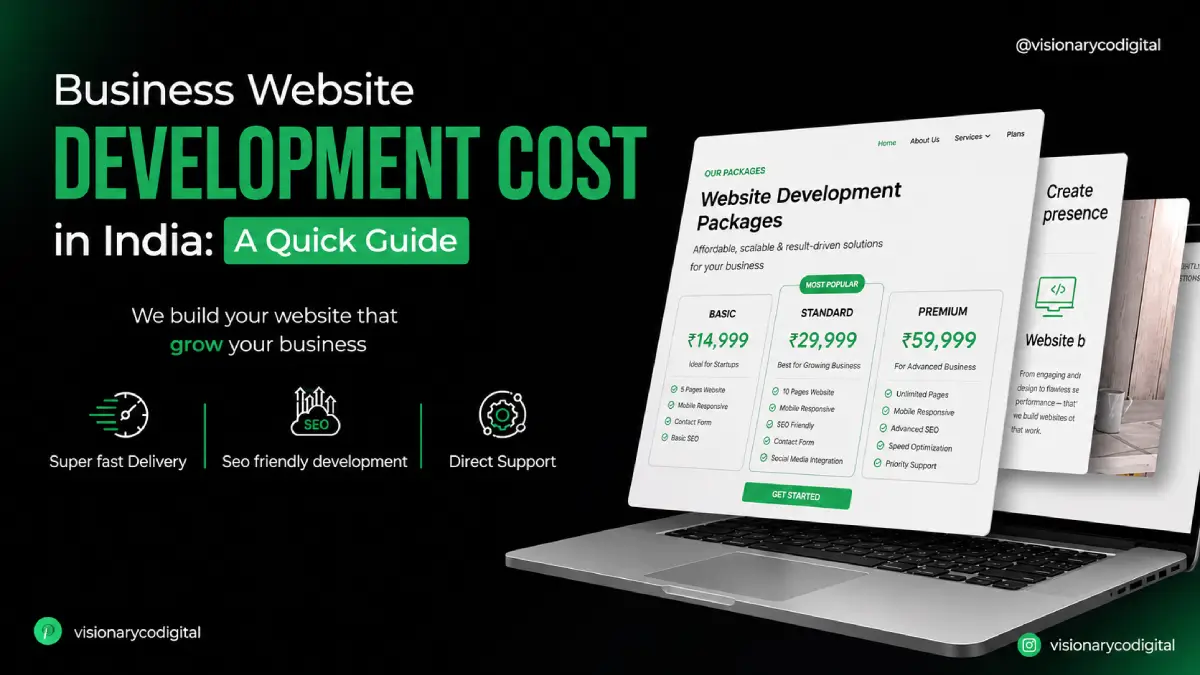
Business Website Development Cost in India: Complete Guide
Business Website Development Cost in India: Complete Guide Introduction Many business owners want a website but are unsure how much they should budget. Some websites cost only a few thousand rupees, while advanced business websites can cost much more. This guide explains website development cost in India in simple terms. Drawlead helps businesses understand the right website budget based on design, features, SEO, performance, and lead generation goals. What Is Website Development Cost in India? Website development cost in India means the total amount a business spends to plan, design, develop, launch, and maintain a website. This cost can include: Website planning UI UX design Front-end development Back-end development CMS setup WordPress or Shopify setup Domain and hosting SSL certificate Content writing SEO setup Contact form integration WhatsApp integration Payment gateway integration Maintenance and updates Website development price in India changes depending on business goals and technical requirements. Why Does Website Development Cost Vary? Website development charges in India are not fixed because every business website is different. A small service business website is different from an ecommerce store, a corporate website, or a custom ERP-connected platform. The cost depends on: Number of pages Website design style Static or dynamic website WordPress, Shopify, or custom platform Ecommerce features Payment gateway Booking system CRM or ERP integration SEO requirements Speed optimization Content and images Security features Ongoing maintenance A website built only for online presence will cost less. A website built for leads, sales, automation, and growth will need a better budget. Average Website Development Cost in India The average website development cost in India can vary based on scope. Public pricing guides commonly show basic websites starting from smaller budgets and advanced websites going into higher ranges depending on features, platform, and complexity. Recent India-focused pricing guides show simple websites from around ₹10,000–₹50,000 and advanced business or ecommerce projects increasing based on complexity. Here is a practical business-friendly cost breakdown: Website Type Estimated Cost Range in India Basic static website ₹10,000 – ₹40,000 Small business website ₹25,000 – ₹75,000 Professional business website ₹50,000 – ₹1,50,000 WordPress website ₹35,000 – ₹2,00,000 Shopify website ₹50,000 – ₹3,00,000 Ecommerce website ₹60,000 – ₹5,00,000+ Custom web application ₹2,00,000 – ₹10,00,000+ Corporate website ₹1,00,000 – ₹5,00,000+ These are estimated ranges. The final cost depends on exact features, content, design quality, integrations, and business goals. Static Website Development Cost in India A static website is suitable for businesses that need a simple online presence. It usually has fixed pages such as Home, About, Services, Gallery, and Contact. Static website development cost in India is usually lower because it has limited functionality. Best for: Small service businesses Personal brands Portfolio websites Basic company profiles Local business websites However, static websites may not be ideal if you need regular updates, blogs, SEO growth, enquiry tracking, or CMS control. Dynamic Website Development Cost in India A dynamic website allows easier content updates and better functionality. It can include blog sections, admin panels, service pages, forms, login systems, and database features. Dynamic website development cost in India is higher than static website cost because it requires more planning and backend development. Best for: Growing businesses Service companies Educational institutions Healthcare brands Real estate companies Corporate websites Dynamic websites are better for businesses that need long-term scalability. WordPress Website Development Cost in India WordPress is one of the most commonly used platforms for business websites. WordPress.org describes WordPress as open-source software that can be downloaded and installed with your own hosting, making it flexible for different website types. WordPress website development cost in India depends on: Theme or custom design Number of pages Plugin requirements Blog setup SEO setup Speed optimization Forms and integrations Maintenance requirements WordPress is suitable for business websites, blogs, service pages, landing pages, and SEO-focused websites. Shopify Website Development Cost in India Shopify is suitable for ecommerce brands that want to sell products online. Shopify’s official India pricing page lists plan-based monthly pricing, while custom Shopify design and development costs depend on theme customization, products, apps, payment setup, and store features. Shopify website development cost in India depends on: Theme customization Product upload Collection setup Payment gateway Shipping settings App integration Checkout setup Product page design SEO setup Conversion tracking Shopify is a good choice for ecommerce brands that want a managed platform for online selling. Ecommerce Website Development Cost in India Ecommerce website development cost in India is higher than a normal business website because it includes product management, cart, checkout, payment, shipping, order management, and customer communication. Common ecommerce features include: Product catalogue Product filters Cart and checkout Payment gateway Shipping integration Order management Discount coupons Customer accounts Wishlist Reviews Analytics tracking Ecommerce websites should be built for performance, trust, and easy buying. Key Factors That Affect Website Development Price in India 1. Number of Pages A 5-page website costs less than a 30-page website. More pages require more design, content, development, and SEO work. 2. Design Quality Template-based design is usually cheaper. Custom design costs more but gives better brand identity and user experience. 3. Platform Choice WordPress, Shopify, WooCommerce, and custom development have different pricing models. Platform choice affects both initial cost and future maintenance. 4. Features and Integrations Advanced features increase cost. Examples include booking systems, payment gateways, CRM, ERP, WhatsApp automation, custom forms, and dashboards. 5. Content Writing Good content helps users understand your services and improves SEO. If content writing is included, the project cost may increase. 6. SEO Setup Basic SEO includes meta titles, meta descriptions, headings, URLs, image alt text, sitemap, and Google Search Console setup. SEO-friendly development is important for long-term visibility. 7. Website Speed and Performance Fast websites need image optimization, clean coding, caching, hosting review, and performance testing. 8. Maintenance and Support Website maintenance cost in India depends on updates, security, backups, bug fixes, content changes, and technical support. Low Cost Website Design in India: Is It Worth It? Low cost website design in India may be useful for very small businesses that only
How a Fast Loading Website Improves SEO, Leads, and Sales
How a Fast Loading Website Improves SEO, Leads, and Sales Introduction A slow website can lose visitors before they even see your services or products. If pages take too long to load, users may leave without calling, submitting a form, or buying. Website speed optimization helps businesses improve SEO, user experience, leads, and sales. Drawlead helps businesses build fast, responsive, and conversion-focused websites that support better online growth. What Is Website Speed Optimization? Website speed optimization is the process of improving how fast a website loads and responds to users. It includes improving images, code, hosting, caching, mobile performance, server response time, and page structure. A fast loading website should load quickly on desktop and mobile devices. It should allow users to move from one page to another without delay. Website speed optimization focuses on: Faster page loading Better mobile experience Lower bounce rate Improved Core Web Vitals Better technical SEO Smoother user experience Higher lead and sales conversion Why Is Website Speed Optimization Important? Website speed is important because users expect quick answers. If your website is slow, visitors may move to a competitor’s website. A slow website can affect: SEO performance User experience Lead generation Sales conversion Ad campaign performance Mobile traffic Brand trust For businesses that depend on website enquiries, page speed optimization is not only a technical task. It is a business growth factor. How Website Speed Improves SEO Search engines want to show useful and user-friendly pages. A website that loads faster creates a better experience for users. Website speed and SEO are connected because speed affects: Page experience Crawl efficiency Mobile usability User engagement Bounce rate Core Web Vitals Technical SEO performance A fast loading website gives users a smoother experience, which can support better search performance over time. How Website Speed Improves Leads A business website should help users take action. If your website is slow, users may leave before reaching your contact form, WhatsApp button, or service page. Fast websites help improve leads by: Loading service pages quickly Making contact forms easier to access Helping users click call buttons faster Improving WhatsApp enquiry flow Reducing waiting time Keeping visitors engaged Supporting landing page performance For lead generation websites, speed directly affects how many users stay and enquire. How Website Speed Improves Sales For ecommerce websites, speed can affect buying decisions. If product pages, cart pages, or checkout pages load slowly, customers may abandon the purchase. Website performance optimization helps improve sales by: Making product pages load faster Improving product browsing Reducing cart abandonment Making checkout smoother Improving mobile shopping Increasing customer confidence A fast website creates a better shopping experience and supports better ecommerce conversion. Key Benefits of a Fast Loading Website A fast loading website gives many business advantages. Key benefits include: Better user experience Improved SEO support Higher engagement Better mobile performance More form submissions More calls and WhatsApp enquiries Better ecommerce sales Improved ad landing page results Stronger brand trust Better website conversion optimization Website speed optimization services help businesses improve both technical performance and business results. How to Check Website Loading Speed Before improving speed, you need to test loading speed of website pages. Useful checks include: Google PageSpeed Insights Core Web Vitals report Google Search Console Website page loading speed test tools Mobile speed testing Real user experience tracking Google Analytics engagement reports A page loading speed check helps identify what is slowing down the website. Website Speed Optimization Process Step 1: Run a Website Speed Test Start with a website page loading speed test. Check homepage, service pages, product pages, blog pages, and landing pages. Do not check only one page. Each page can have different speed issues. Step 2: Compress and Resize Images Large images are one of the biggest reasons for slow websites. Use compressed image formats and upload correct image sizes. Avoid uploading heavy images directly from camera or design files. Step 3: Improve Hosting Performance Good hosting helps improve server response time. Cheap or overloaded hosting can make even a well-designed website slow. For business websites, reliable hosting is important. Step 4: Use Caching Caching helps store website files so pages can load faster for repeat visitors. This is useful for WordPress, Shopify, and business websites. Caching can improve page speed optimization when configured correctly. Step 5: Reduce Unnecessary Plugins Too many plugins can slow down a WordPress website. Use only necessary plugins and remove unused ones. A wordpress website speed optimization plugin can help, but too many plugins can create the opposite result. Step 6: Optimize Code Heavy CSS, JavaScript, and unused code can slow down a website. Minifying and cleaning code improves performance. This is part of technical SEO optimization. Step 7: Improve Mobile Speed Most users browse from mobile phones. Your website must be fast and responsive on mobile devices. A fast website design should work smoothly on all screen sizes. Step 8: Monitor Speed Regularly Website speed is not a one-time task. New plugins, images, videos, scripts, and updates can affect performance. Check website loading speed regularly to maintain performance. Fast Loading Website vs Slow Website Factor Fast Loading Website Slow Loading Website User experience Smooth and quick Frustrating and delayed SEO support Better technical performance May affect page experience Leads More users reach contact options Users may leave early Sales Easier product browsing and checkout Higher chance of drop-offs Mobile experience Better browsing Poor engagement Trust Professional impression Weak brand experience A fast loading website helps users complete actions with less friction. Conclusion Website speed optimization is important for every business that wants better SEO, more leads, and improved sales. A fast loading website helps users stay longer, explore services or products, and complete actions like calls, WhatsApp enquiries, forms, and purchases. If your website loads slowly, it may be affecting your search performance and business enquiries. Drawlead helps businesses with Website Development, Shopify Development, WordPress Development, Ecommerce Website Development, SEO Services, ERP Solutions, AI Website Solutions, and Website Speed Optimization. Contact Drawlead to build a
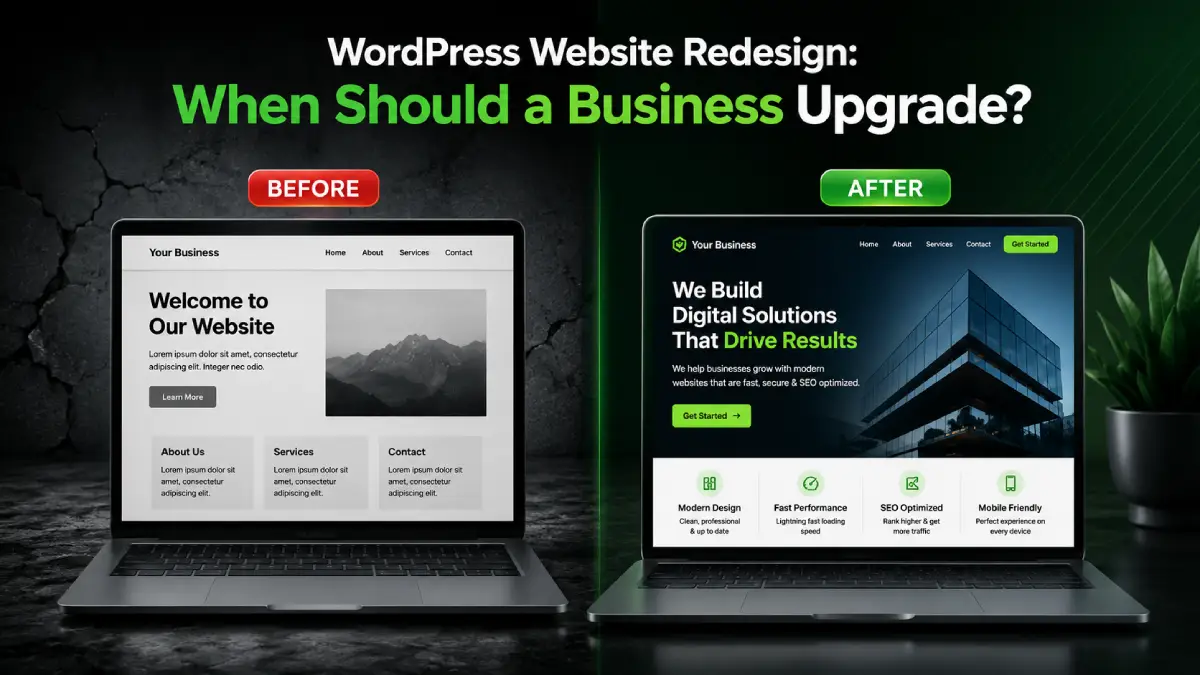
WordPress Website Redesign: When Should a Business Upgrade?
WordPress Website Redesign: When Should a Business Upgrade? Introduction A WordPress website should help your business build trust, rank on Google, and generate enquiries. But many websites become outdated, slow, or difficult to use over time. If your website is not getting leads or does not reflect your current business, it may be time to upgrade. This guide explains when to use wordpress website redesign services and how Drawlead helps businesses create modern, responsive, and lead-focused WordPress websites. What Is WordPress Website Redesign? WordPress website redesign means improving an existing WordPress website’s design, structure, content, speed, mobile experience, SEO, and conversion flow. It is not just changing colors or banners. A proper wordpress website redesign should improve how the website works for users and how it supports business goals. A redesign can include: New homepage layout Better service pages Mobile responsive design Faster loading speed SEO-friendly structure Updated content Better contact forms WhatsApp and call buttons Improved navigation Security and plugin cleanup Analytics and tracking setup A good redesign turns an old website into a stronger business asset. Why Is WordPress Website Redesign Important? Your website is often the first impression of your business. If it looks old, loads slowly, or confuses visitors, users may leave without contacting you. WordPress website redesign is important because it can improve: Brand trust User experience Mobile performance SEO visibility Page speed Lead generation Enquiry form submissions Website security Content clarity Business growth A business website redesign should focus on performance, not only appearance. When Should a Business Upgrade Its WordPress Website? 1. Your Website Looks Outdated If your website design looks old compared to your competitors, users may doubt your business quality. Modern website design builds trust and creates a professional image. A website revamp helps update layouts, colors, typography, images, content sections, and CTA buttons. 2. Your Website Is Not Mobile-Friendly Most users visit websites from mobile phones. If your WordPress website is difficult to use on mobile, you may lose enquiries. A responsive wordpress website should have: Easy mobile menu Readable text Clickable buttons Fast loading pages Simple forms Proper image scaling Smooth user experience Mobile responsiveness is one of the main reasons businesses upgrade their websites. 3. Your Website Loads Slowly Slow websites can reduce user engagement and enquiries. If users wait too long, they may leave before reading your services. A WordPress website upgrade can improve speed by: Compressing images Removing unused plugins Improving hosting Cleaning code Using caching Optimizing scripts Reducing heavy design elements Website speed matters for SEO, user experience, and lead generation. 4. Your Website Is Not Getting Leads If your website gets traffic but no calls, forms, or WhatsApp enquiries, the problem may be the website structure. A lead-focused redesign should add: Strong CTA buttons Simple contact forms WhatsApp button Call button Service-specific landing pages Testimonials Trust signals Clear service content A redesign should make it easy for visitors to contact your business. 5. Your SEO Performance Is Weak If your website is not ranking on Google, it may need better SEO structure. Many old WordPress websites have poor URLs, missing meta titles, duplicate content, weak headings, and no internal linking. A good wordpress website redesign company should improve: URL structure Meta titles Meta descriptions H1, H2, and H3 headings Image alt text Sitemap Internal links Schema basics Service page content Blog structure SEO should be planned before redesigning the website. 6. Your Business Services Have Changed If your business has added new services, locations, products, or customer segments, your website should reflect that. For example, a business may start with a basic WordPress website and later need pages for ecommerce, SEO, ERP, CRM, automation, or Shopify development. Your website should always match your current business model. 7. Your Website Is Difficult to Manage If your team struggles to update content, images, blogs, or service pages, your website may need a better WordPress structure. A redesigned website can make content management easier through clean page builders, organized menus, reusable sections, and proper backend setup. Key Benefits of WordPress Website Redesign Services Professional wordpress website redesign services can help businesses improve: Website appearance Mobile responsiveness SEO structure Website speed User experience Service page clarity Lead generation Trust and credibility Website security Long-term scalability A good redesign helps your website work better for both users and search engines. How to Redesign a WordPress Website Step 1: Audit the Existing Website Start by checking design, speed, SEO, mobile view, traffic, leads, and technical issues. Step 2: Define Business Goals Decide whether the website should generate leads, sales, appointments, downloads, or consultation requests. Step 3: Plan Website Structure Create a clear structure for homepage, service pages, blog pages, contact page, and landing pages. Step 4: Improve Content Rewrite outdated content and create service-focused pages with clear benefits, FAQs, and CTAs. Step 5: Design Responsive Layouts Create layouts that work smoothly on desktop, tablet, and mobile. Step 6: Optimize SEO and Speed Add proper headings, metadata, internal links, image alt text, schema basics, caching, and image optimization. Step 7: Test Before Launch Test forms, buttons, menus, mobile view, speed, links, and tracking tools before publishing. Step 8: Monitor After Launch Track traffic, rankings, form submissions, WhatsApp clicks, and call clicks after launch. WordPress Website Redesign vs Website Revamp Factor Website Revamp WordPress Website Redesign Meaning Small visual improvements Full design, structure, UX, and SEO improvement Focus Appearance Business performance Content Minor updates Full content improvement SEO Limited changes SEO structure improvement Speed May not be included Speed optimization included Best For Small updates Business growth and lead generation A website revamp is useful for minor updates. A full redesign is better when the website has performance, SEO, or lead generation problems. Conclusion A WordPress website redesign is important when your website no longer supports your business goals. If your site looks outdated, loads slowly, performs poorly on mobile, or does not generate leads, it may be time to upgrade. A strong redesign should improve design, SEO, speed, content, user
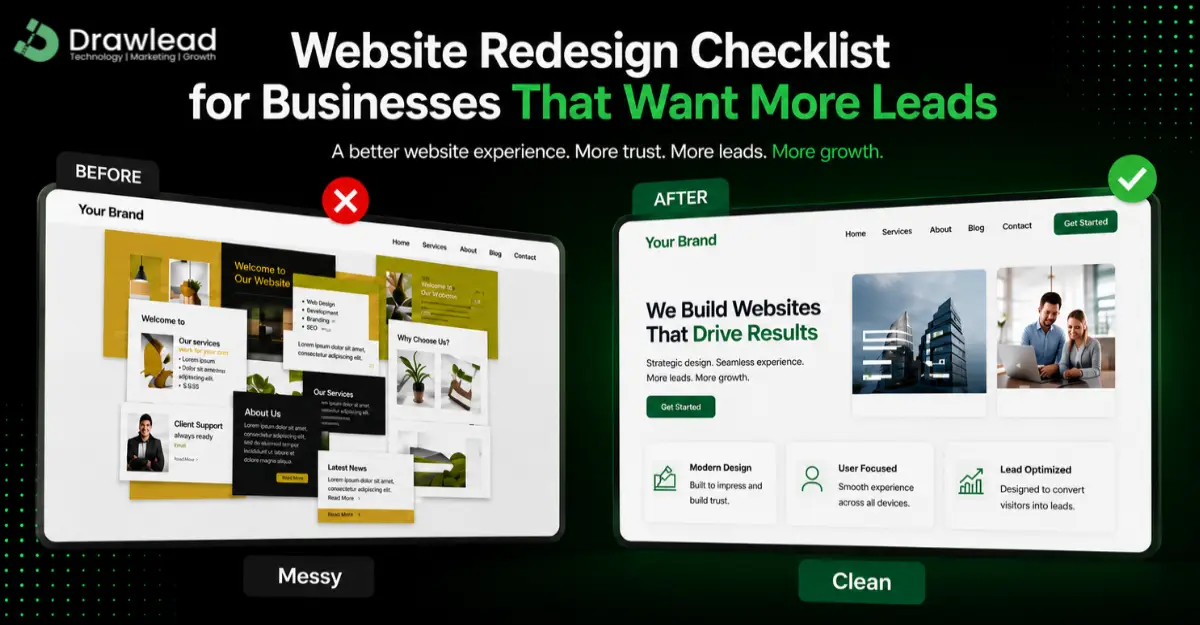
Website Redesign Checklist for Businesses That Want More Leads
Website Redesign Checklist for Businesses That Want More Leads Introduction Many businesses have websites, but not all websites generate leads. If your website gets visitors but does not bring calls, WhatsApp enquiries, or form submissions, it may need a redesign. This website redesign checklist helps you understand what to improve before rebuilding your website. Drawlead helps businesses in Chennai redesign websites for better user experience, SEO, and lead generation. What Is a Website Redesign Checklist? A website redesign checklist is a step-by-step list used to improve an existing website. It helps businesses review design, content, speed, mobile responsiveness, SEO, user experience, and conversion elements before launching a new version. Website redesign is not only about changing colors or images. It is about improving how the website works for users and how it supports business goals. A good redesign should help users: Understand your services Trust your business Find contact options easily Submit enquiries Call or WhatsApp your team Move smoothly from page to page Why Is Website Redesign Important for Leads? Website redesign is important because your website may be the first place customers judge your business. If the website looks old, loads slowly, or has confusing navigation, visitors may leave without contacting you. A proper redesign of website can help improve: Website trust User experience Mobile performance SEO visibility Page speed Enquiry form submissions WhatsApp leads Phone calls Landing page conversions For businesses that want more leads, website redesign services should focus on conversion, not just appearance. Key Benefits of Website Redesign 1. Better First Impression A modern website creates trust. Visitors are more likely to contact a business when the website looks professional, clean, and updated. 2. More Lead Enquiries A redesigned website can include better CTAs, enquiry forms, WhatsApp buttons, call buttons, and landing pages. These elements guide visitors to take action. 3. Improved SEO Performance A website redesign can fix weak page structure, missing metadata, poor headings, slow speed, and bad internal linking. This helps improve search visibility. 4. Better Mobile Experience Most users visit websites from mobile phones. Responsive website design ensures your website works well on mobile, tablet, and desktop. 5. Better Tracking and Decision-Making With Google Analytics, Google Search Console, Meta Pixel, and conversion tracking, businesses can understand which pages bring leads and which pages need improvement. Website Redesign Checklist for More Leads 1. Review Your Current Website Performance Before redesigning, check what is working and what is not. Review: Website traffic Top pages Bounce rate Page speed Mobile usability Form submissions Call clicks WhatsApp clicks Search rankings This helps you create a clear website redesign roadmap. 2. Check Your Homepage Message Your homepage should clearly explain who you are, what you offer, and why users should contact you. A strong homepage should include: Clear headline Service highlights Trust points CTA buttons Contact options Location details Quick explanation of services 3. Improve Service Pages Each important service should have a separate page. For example, website development, Shopify development, WordPress development, ecommerce website development, SEO, and Meta Ads should have clear service pages. Service pages should explain: What the service is Who needs it Benefits Process FAQs CTA Contact form This improves website development lead generation. 4. Add Clear CTA Buttons CTA buttons guide users to take action. A website without strong CTAs may lose leads. Use buttons like: Get a Quote Call Now Book a Consultation WhatsApp Us Start Your Website Project Place CTAs in the hero section, service sections, blog pages, and footer. 5. Add Lead Capture Features A lead-focused redesign should include: Enquiry form WhatsApp button Call button Popup lead form Contact form Landing page Thank you page These features help convert visitors into leads. 6. Improve Mobile Responsiveness Your redesigned website must work smoothly on mobile devices. Check font size, buttons, menus, images, forms, and page layout. A poor mobile experience can reduce enquiries. 7. Improve Website Speed Slow websites lose visitors. During redesign, optimize images, remove unnecessary scripts, reduce heavy plugins, and improve hosting if needed. Fast loading pages support SEO and user experience. 8. Optimize for SEO A website redesign company in Chennai should also focus on SEO. Important SEO tasks include: SEO-friendly URLs Meta titles Meta descriptions Proper H1, H2, and H3 headings Image alt text Internal linking Schema markup Sitemap update Google Search Console setup Common Website Redesign Mistakes Avoid these mistakes during redesign: Focusing only on design Ignoring SEO Removing ranking pages without redirects Not checking mobile view Using weak content No CTA placement No conversion tracking Slow loading pages No thank you page Missing WhatsApp or call button The best website redesign services focus on both design and performance. Real-World Use Cases A small business website may get traffic but no leads because the contact form is hidden. An ecommerce website may lose sales because product pages are slow and not mobile-friendly. A service business may need website redesign services near me because the old website does not explain services clearly. In each case, redesign can improve trust, usability, and enquiries. Conclusion A website redesign can help businesses improve trust, SEO, user experience, and lead generation. If your website is not bringing enough calls, WhatsApp messages, or contact form enquiries, it may be time to redesign it with a clear strategy. Drawlead helps businesses with website redesign, WordPress website redesign services, Shopify development, ecommerce website redesign services, SEO, and AI-powered website solutions. Contact Drawlead to build a redesigned website that supports better leads and business growth. Recent Posts Why Every Business Needs a Professional Website in 2026 SEO Do’s and Don’ts: Best Practices for Small Businesses Search … How AI Improves Shopify Store Design and Sales Conversion How AI Improves Shopify Store Design and Sales Conversion Introduction … Book a Consultation Ready to take your business to the next level ? Book a Free Consultation Frequently Asked Questions 1. What is website redesign? Website redesign means improving an existing website’s design, layout, content, SEO, speed, mobile experience, and conversion features. 2. Why do
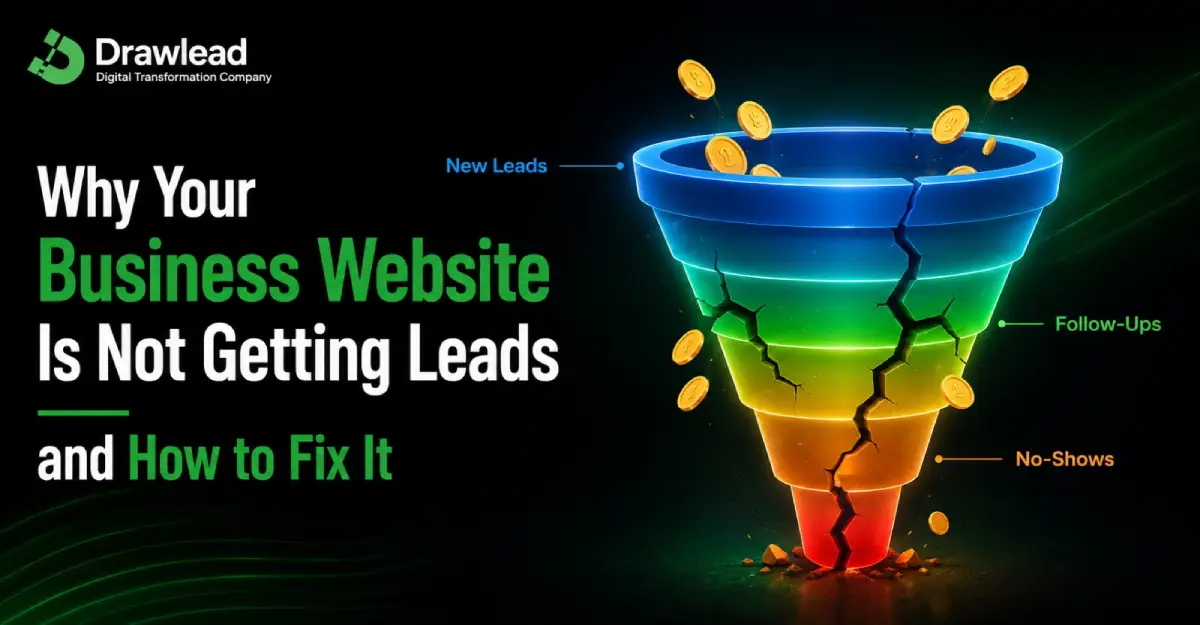
Why Your Business Website Is Not Getting Leads and How to Fix It
Why Your Business Website Is Not Getting Leads and How to Fix It Introduction Many businesses have a website, but it does not bring calls, WhatsApp messages, or contact form enquiries. This is a serious problem because a website should support business growth, not just exist online. If your website not getting leads, the issue may be your design, content, SEO, speed, or conversion flow. Drawlead helps businesses identify these problems and build conversion-focused websites that turn visitors into real enquiries. What Does “Website Not Getting Leads” Mean? A website not getting leads means visitors are coming to your website but not taking action. A lead can be: A phone call A WhatsApp message A contact form submission A quote request A consultation booking A product enquiry A callback request A newsletter or offer signup If users visit your website and leave without contacting you, your website has a lead generation problem. A business website should do more than show information. It should guide users toward action with clear content, trust signals, and easy contact options. Why Is Website Lead Generation Important? Website lead generation is important because your website is often the first place customers judge your business. If your website is confusing, slow, or not trustworthy, visitors may choose a competitor. A lead generation website helps businesses: Attract the right audience Build trust quickly Explain services clearly Capture enquiries Support sales teams Improve marketing ROI Convert traffic into business opportunities For service businesses, startups, ecommerce brands, clinics, construction companies, and B2B companies, website leads are directly connected to growth. Common Reasons Your Website Is Not Getting Leads 1. Your Website Message Is Not Clear Visitors should understand what you offer within a few seconds. If your homepage does not clearly explain your service, location, benefits, and next step, users may leave. A strong website message should answer: What do you offer? Who is it for? Why should customers trust you? What should the visitor do next? Clear messaging is the foundation of website lead generation. 2. Your CTA Buttons Are Weak or Missing CTA means call-to-action. It tells users what to do next. Examples include: Call Now Get a Quote Book a Consultation WhatsApp Us Request Website Pricing Start Your Project If your CTA buttons are hidden, unclear, or not repeated across pages, visitors may not take action. A conversion focused website should place CTA buttons in the hero section, service sections, blog pages, landing pages, and footer. 3. Your Contact Form Is Too Complicated A lead generation form website should make enquiries easy. If your form asks for too many details, users may avoid filling it. Keep forms simple: Name Phone number Email Service requirement Message For mobile users, forms should be easy to tap and submit. 4. Your Website Is Too Slow Website speed optimization is important for leads. If your pages load slowly, visitors may leave before seeing your services. Slow websites can affect: User experience SEO performance Landing page conversion Form submissions Paid ad results Mobile engagement A fast website gives users a smoother experience and improves the chance of enquiry. 5. Your Website Is Not Mobile-Friendly Most users browse from mobile phones. If your website looks broken on mobile, has small buttons, or difficult forms, users may leave quickly. A mobile-friendly website should have: Readable text Easy navigation Clickable call buttons WhatsApp button Fast loading pages Simple forms Responsive design Mobile experience is very important for lead generation from website traffic. 6. Your Service Pages Are Weak Many business websites have only one service page or very short content. This makes it difficult for users and search engines to understand your services. Each important service should have a separate page. For example: Website Development Shopify Development WordPress Development Ecommerce Website Development SEO Services Meta Ads ERP Solutions Strong service pages improve SEO, trust, and lead generation. 7. You Are Getting the Wrong Traffic Website traffic and lead generation are different. More traffic does not always mean more leads. Your website may get visitors who are: Not your target customers Looking for free information From the wrong location Not ready to buy Landing on weak pages SEO and ads should target the right audience, not just high traffic. 8. You Do Not Have Trust Signals Visitors need confidence before contacting a business. If your website does not show proof, they may hesitate. Useful trust signals include: Client logos Testimonials Case studies Reviews Portfolio Business address Contact details Certifications Clear service process Trust improves website conversion optimization. 9. You Are Not Tracking Conversions If tracking is not set up, you may not know why leads are missing. Track: Contact form submissions WhatsApp clicks Call button clicks Landing page visits Scroll depth Button clicks Ad conversions Tools like Google Analytics, Google Search Console, and Meta Pixel help understand user behavior. Key Benefits of Fixing Website Lead Problems Fixing your website leads problem can help improve: More calls and WhatsApp enquiries Better contact form submissions Higher conversion rate Better SEO performance Better ad campaign results More qualified enquiries Improved user experience Stronger brand trust Better business growth A website designed for lead generation can support sales every day. Website Traffic vs Website Leads Factor Website Traffic Website Leads Meaning People visiting your website People contacting your business Main Goal Visibility Enquiries and sales Source SEO, ads, social media Forms, calls, WhatsApp Problem Traffic may not convert Needs strong UX and CTAs Solution Better targeting Better conversion optimization Both traffic and leads are important, but traffic without enquiries does not help business growth. Best Practices for Website Conversion Optimization Use these best practices: Keep your website message simple Add CTA buttons above the fold Use short contact forms Add WhatsApp and call options Improve page speed Create service-specific landing pages Add testimonials and case studies Use clear pricing or quote options where suitable Track conversions properly Update content regularly Improve local SEO if you target a city Test landing page optimization for ads Website conversion rate optimization
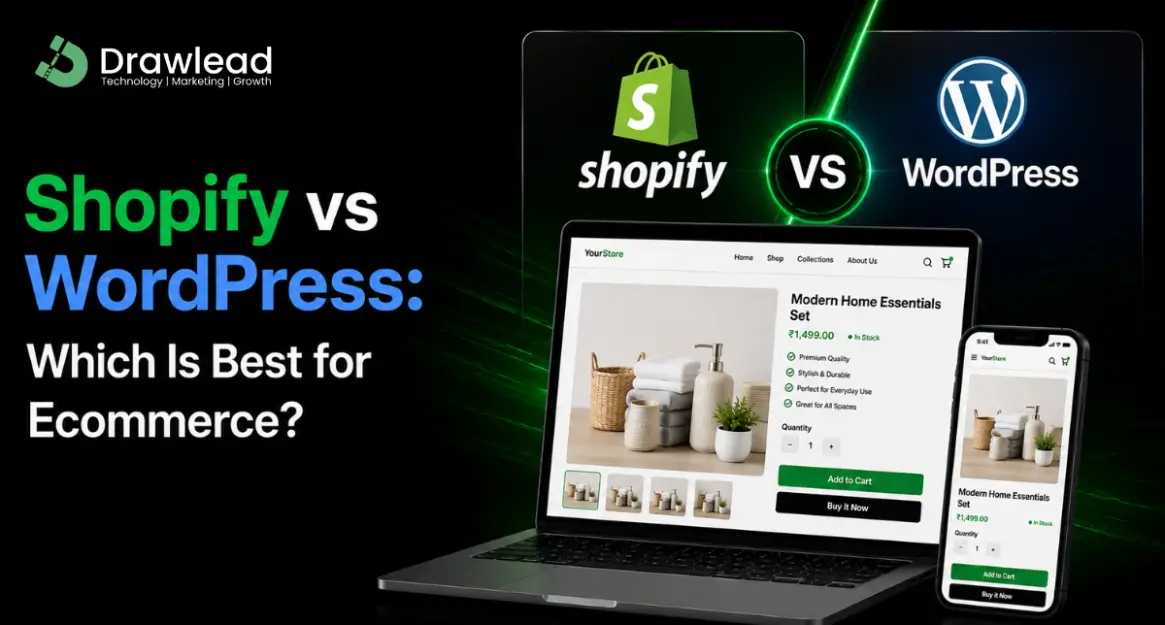
Shopify vs WordPress: Which Is Best for Ecommerce?
Shopify vs WordPress: Which Is Best for Ecommerce? Introduction Choosing between shopify vs wordpress is one of the biggest decisions for any ecommerce business. Many business owners want to sell online but are confused about which platform is better for products, SEO, cost, security, and long-term growth. Drawlead helps businesses choose and build the right ecommerce platform based on their sales goals, product type, and customer journey. What Is Shopify vs WordPress for Ecommerce? Shopify is a dedicated ecommerce platform made for building and managing online stores. It includes hosting, security, product management, payment setup, themes, apps, and checkout features. WordPress is a content management system. To build an ecommerce store on WordPress, businesses usually use WooCommerce. A WordPress ecommerce website gives more control over design, content, plugins, hosting, and SEO structure. So, the main Shopify and WordPress difference is simple: Shopify is built mainly for ecommerce, while WordPress is flexible for websites, blogs, service pages, and ecommerce through WooCommerce. Why This Comparison Is Important Choosing the wrong platform can affect your ecommerce growth. If your platform is difficult to manage, slow, costly, or not suitable for your business model, you may face problems later. A proper Shopify vs WordPress comparison helps you understand: Which platform is easier to manage Which is better for SEO Which is cheaper for your needs Which gives better design control Which supports sales growth Which is better for long-term scalability For ecommerce brands, the platform should support product visibility, smooth checkout, mobile experience, and sales conversion. Shopify vs WordPress: Key Comparison Feature Shopify WordPress with WooCommerce Main Use Ecommerce store Website + ecommerce Ease of Use Easier for beginners Needs more setup Hosting Included Separate hosting needed Security Managed by Shopify Must be managed separately SEO Control Good More flexible Customization App and theme based Highly customizable Maintenance Easier Needs regular updates Best For Fast ecommerce setup Custom ecommerce websites Key Benefits of Shopify Shopify is a strong choice for businesses that want to start selling online quickly. Main benefits include: Easy product management Built-in ecommerce features Secure checkout Hosting included App integrations Mobile responsive themes Simple inventory management Good for small and growing ecommerce brands Shopify website development is useful for D2C brands, fashion stores, jewellery brands, beauty products, electronics, home products, and businesses that want a simple online selling system. Key Benefits of WordPress with WooCommerce WordPress with WooCommerce is a good choice for businesses that need more control and customization. Main benefits include: Better content flexibility Strong blog and SEO options Custom design control Large plugin ecosystem Flexible hosting options Suitable for content-heavy ecommerce websites Good for service + ecommerce combination websites WooCommerce website development is useful for businesses that want advanced customization, strong content marketing, and full website control. Shopify or WordPress for SEO? Both Shopify and WordPress can perform well for SEO when developed properly. Shopify supports basic SEO features like meta titles, meta descriptions, alt text, clean product pages, and collection pages. It is good for ecommerce SEO when product and category pages are optimized properly. WordPress gives more SEO flexibility through plugins, custom content structure, blogs, schema, internal linking, and technical optimization. For content-heavy websites, WordPress can be very strong. So, if you ask “shopify or woocommerce for SEO,” the answer depends on your strategy. Shopify is good for ecommerce stores. WordPress is better when you want deeper content and SEO control. Shopify or WooCommerce: Which Is Cheaper? Shopify has monthly plans, app costs, and possible transaction-related costs depending on payment setup. It is easier to manage but may become costlier if you use many paid apps. WooCommerce itself is flexible, but you need hosting, theme, plugins, security, and maintenance. It can be cost-effective, but only if managed properly. For small businesses, Shopify may be easier to start. For businesses that want full control, WooCommerce may be better in the long run. Real-World Use Cases A fashion brand that wants to launch quickly with product pages, payment, and checkout may choose Shopify. A business that wants strong blogs, service pages, products, and deep SEO content may choose WordPress with WooCommerce. A startup with limited technical support may prefer Shopify because it is easier to manage. A brand that needs custom workflows, advanced content, and full control may prefer WordPress. Conclusion When comparing Shopify vs WordPress, there is no single answer for every business. Shopify is best for ecommerce brands that want a simple, secure, and easy-to-manage online store. WordPress with WooCommerce is best for businesses that want more customization, content control, and SEO flexibility. If you are planning ecommerce website development, Drawlead can help you choose the right platform and build a website that supports leads, sales, SEO, and long-term business growth. Contact Drawlead for Shopify development, WordPress development, ecommerce website solutions, SEO, and AI-powered website services. Recent Posts Why Every Business Needs a Professional Website in 2026 SEO Do’s and Don’ts: Best Practices for Small Businesses Search … How AI Improves Shopify Store Design and Sales Conversion How AI Improves Shopify Store Design and Sales Conversion Introduction … Book a Consultation Ready to take your business to the next level ? Book a Free Consultation Frequently Asked Questions 1. What is the main difference between Shopify and WordPress? Shopify is mainly an ecommerce platform, while WordPress is a website platform that can become an ecommerce store using WooCommerce. 2. Which is better, Shopify or WordPress for online store? Shopify is better for easy online store setup. WordPress is better for custom ecommerce websites with more content and design control. 3. Is WooCommerce better than Shopify? WooCommerce is better for flexibility and customization. Shopify is better for ease of use, hosting, security, and simple ecommerce management. 4. Can Shopify websites rank on Google? Yes, Shopify websites can rank on Google when product pages, collection pages, meta tags, speed, images, and content are optimized properly. 5. Why choose Drawlead for ecommerce website development? Drawlead helps businesses build Shopify and WordPress ecommerce websites with SEO-friendly structure, mobile responsive